Your business serves customers in several areas. Maybe you have one office in Petaling Jaya but regularly work in Subang Jaya, Shah Alam and Kuala Lumpur. Or perhaps you operate several real branches.
Now you are planning your website and wondering:
Should I create a page for every location?
The answer depends on what kind of presence you actually have in each area.
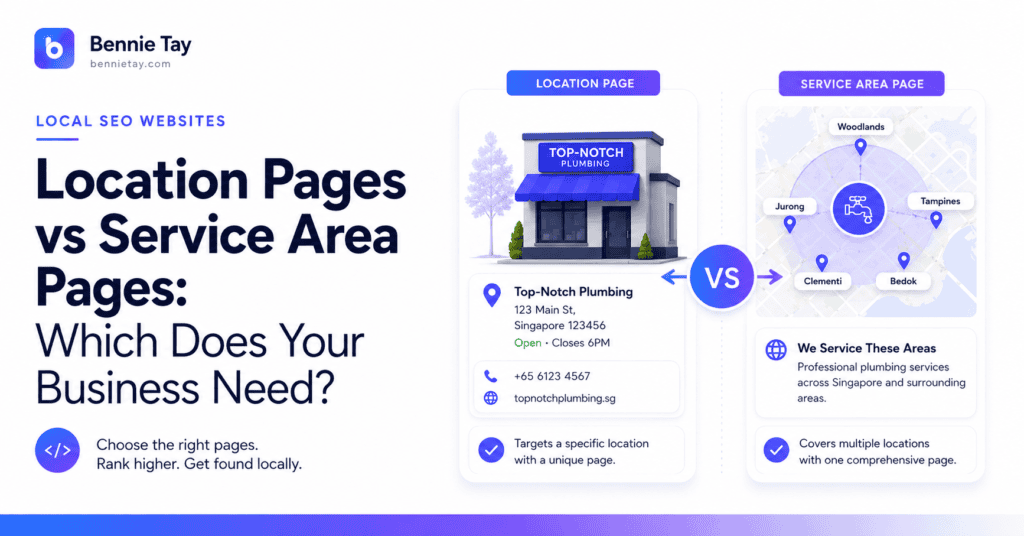
There is an important difference between a location page and a service area page.
A location page represents a genuine physical branch, office, shop or premises where customers can interact with your business.
A service area page represents a place you genuinely serve even though you do not operate a physical branch there. Both can be useful for local SEO. But they should not be treated as interchangeable.
If you create branch pages for places where you have no branch, you risk misleading customers. If you ignore service-area pages completely, you may miss opportunities to explain where you actually work.
So which type does your business need?
Here is how I would decide.
Quick Answer
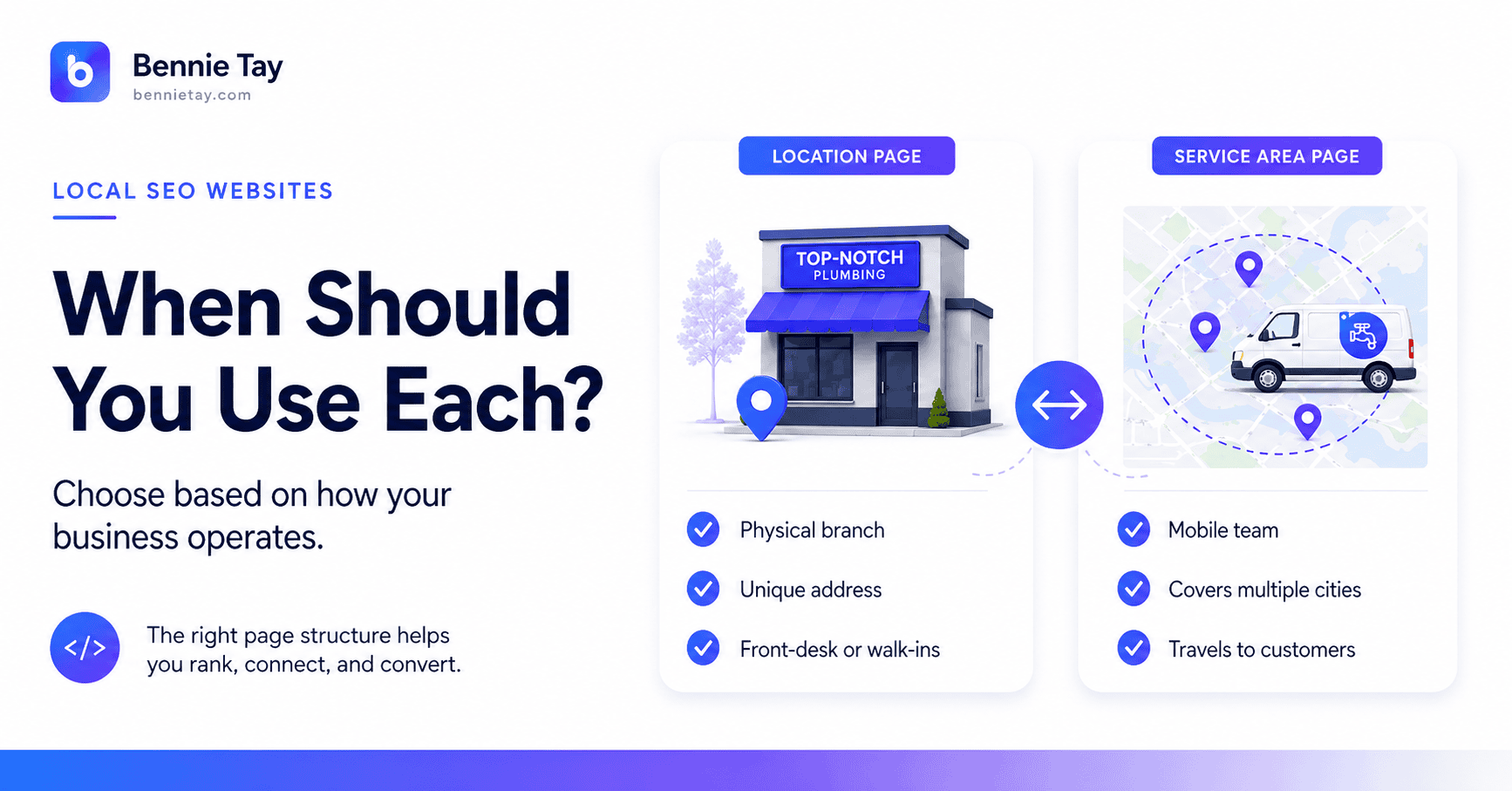
Use a location page when you have a genuine physical location in that area.
Use a service area page when you travel to or serve customers in an area but do not have a customer-facing branch there.
For example:
Location Page
Accounting Firm in Petaling Jaya
You have a real office in Petaling Jaya.
Service Area Page
Office Cleaning Services in Shah Alam
Your cleaning team serves Shah Alam businesses, but you do not operate a Shah Alam office. The distinction should be clear to customers. Do not present a service area as a physical branch simply because it might look better for SEO. Clarity wins.
What Is a Location Page?
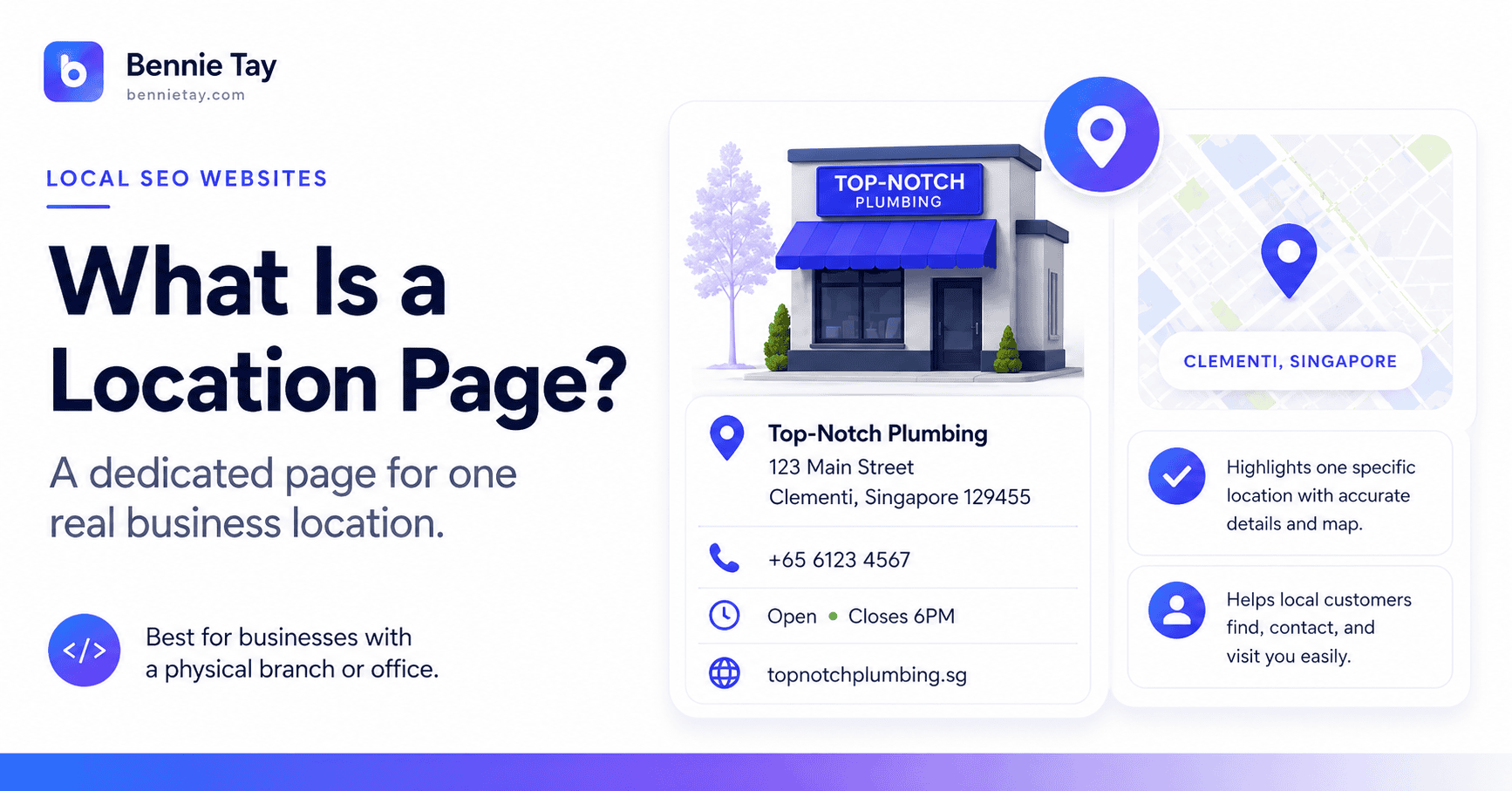
A location page represents a real business location.
For example, suppose your tuition centre operates branches in:
- Petaling Jaya
- Subang Jaya
- Puchong
Each branch may deserve its own page.
A proper location page might include:
- branch name
- address
- phone number
- opening hours
- map
- photographs
- staff or tutors
- services available there
- directions
- FAQs
The page exists because there is a real location customers can visit. That gives it natural uniqueness.
The Petaling Jaya branch may have:
- different staff
- different opening hours
- different programmes
- different photos
- different contact details
This makes the page genuinely useful.
What Is a Service Area Page?
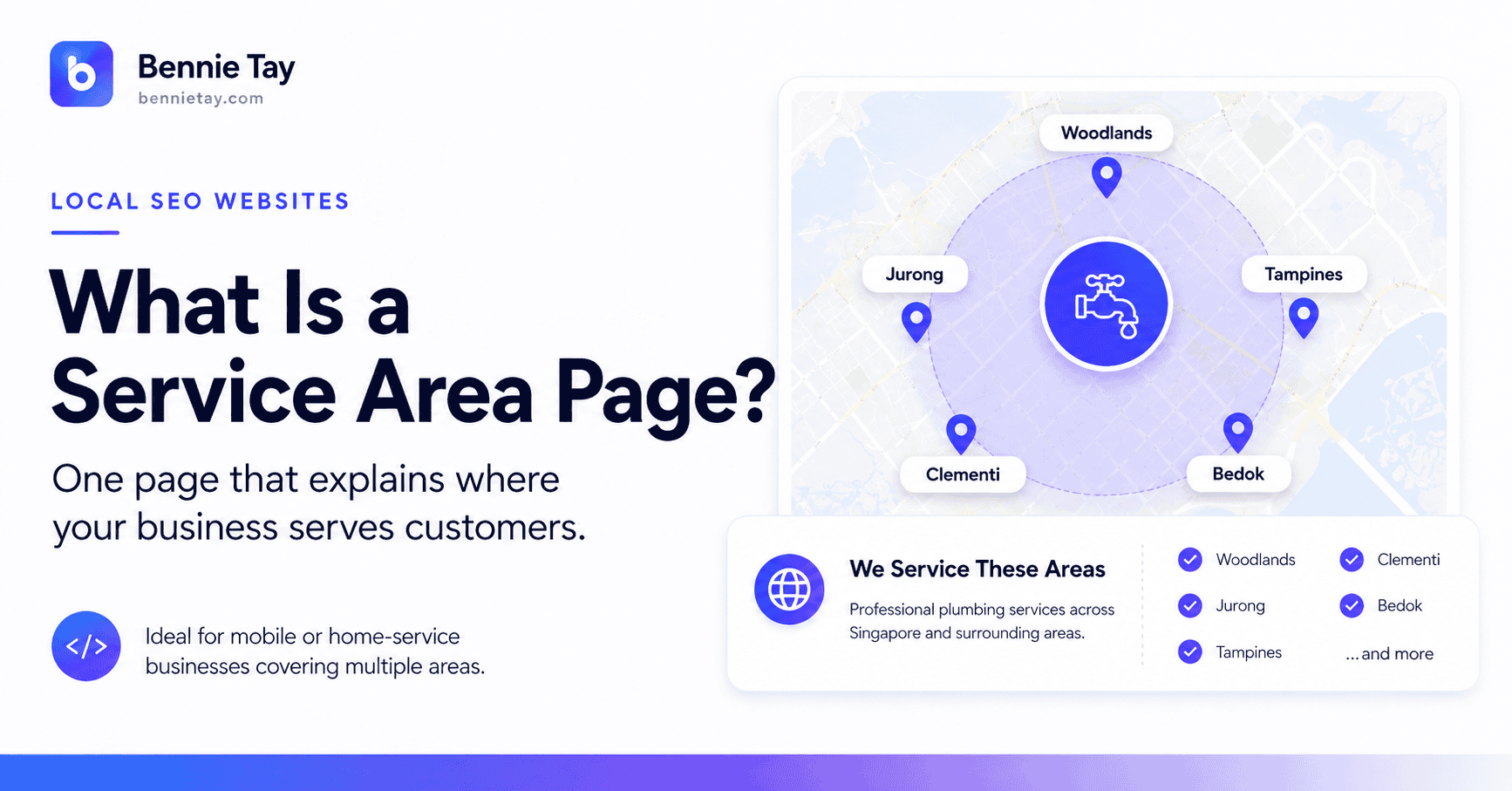
A service area page is different. It explains that your business provides services in a particular area even though you do not operate a physical branch there.
For example:
Aircon Service in Subang Jaya
You might be based in Petaling Jaya. Your technicians travel to customers in Subang Jaya.
A useful service-area page may explain:
- services available
- neighbourhoods covered
- response process
- project examples
- customer testimonials
- how quotations work
- travel or scheduling information
The page should never imply that you have a Subang Jaya office if you do not. It should simply make the service coverage clear.
Why Does the Difference Matter?
Because customer expectations are different.
If someone visits a page called:
Law Firm in Shah Alam
they may reasonably assume your firm has an office there. If you are actually located in Kuala Lumpur and only occasionally serve Shah Alam clients, that wording may create the wrong impression.
Compare:
Law Firm Serving Businesses in Shah Alam
Now the relationship is much clearer.
Likewise:
Office Cleaning Services in Petaling Jaya
does not automatically imply a physical branch. It explains where the service is delivered. Good local SEO should make the business easier to understand. Not more confusing.
When Should You Create a Location Page?
Create a location page when the location itself is meaningful to customers. Here are some good examples.
You Have Multiple Branches
A childcare business might have:
- Mont Kiara branch
- Bangsar branch
- Petaling Jaya branch
Each branch deserves its own information.
Each Location Has Different Staff
Professional services, clinics and education businesses often have location-specific teams. Show them.
Each Location Offers Different Services
Perhaps one branch provides a service another does not. A dedicated page helps customers understand this.
Customers Need Directions
If people visit the premises, a map and clear location details matter.
Each Branch Has Its Own Contact Information
Separate phone numbers or opening hours are another strong reason to create dedicated pages. In these situations, the pages are naturally different. That makes them useful to customers and easier to justify from an SEO perspective.
What Should a Strong Location Page Include?
For a real branch, I would usually include the following.
1. Branch-Specific Headline
For example:
ABC Tuition Centre – Subang Jaya
or:
Accounting Services in Petaling Jaya – ABC Advisory
Make the location clear.
2. Full Address
Show the actual address. Do not make customers hunt for it.
If relevant, include:
- floor
- unit
- building
- postcode
3. Map
A map is useful when customers visit the location.
It helps them understand:
- where you are
- nearby roads
- landmarks
- accessibility
4. Opening Hours
Keep them current. If hours vary by branch, show the correct information for each one.
5. Branch Contact Details
Display:
- phone
where appropriate. If all branches share one central number, explain that.
6. Services Available
Do not assume every branch offers exactly the same services. Show what customers can actually get there.
7. Local Staff
Introduce the people customers may meet at the branch.
This is particularly valuable for:
- accountants
- lawyers
- tutors
- consultants
- healthcare businesses
8. Real Photos
Use images of the actual branch. Exterior, interior, team and facilities all help. A location page with nothing but stock photography is rather committed to missing the point.
9. Local Reviews
If you have genuine reviews from customers who used that branch, show them. This makes the page more specific and more believable.
10. Local FAQ
Answer questions such as:
- Is parking available?
- Is an appointment required?
- Which services are available here?
- What are your opening hours?
- Which public transport options are nearby?
Useful local details make the page worth visiting.
When Should You Create a Service Area Page?
Service-area pages make sense when customers care about whether you will travel to them.
Common examples include:
- renovation
- plumbing
- electrical work
- aircon servicing
- cleaning
- pest control
- moving services
- landscaping
- event services
- mobile professional services
For example:
Office Renovation in Subang Jaya
The visitor wants to know:
Do you actually take projects here?
Your service-area page answers yes, then explains what you provide.
What Should a Strong Service Area Page Include?
The structure should be different from a branch page. You are not describing an office. You are describing service coverage.
1. Service + Area Headline
For example:
Commercial Cleaning Services in Shah Alam
2. Explain Your Coverage
Be clear.
For example:
Our team provides recurring office cleaning across Shah Alam, including selected commercial and industrial areas.
That immediately explains the relationship.
3. Show Relevant Services
List what you actually provide in that area.
For example:
- office cleaning
- deep cleaning
- post-renovation cleaning
- commercial cleaning
4. Mention Areas You Commonly Serve
You can include genuine neighbourhoods or commercial areas where relevant. Do this naturally. Do not dump 80 postcode names into a paragraph because an SEO tool developed a sudden appetite for suburbs.
5. Add Local Project Examples
This is one of the strongest ways to differentiate service-area pages.
For example:
Recent projects in Shah Alam include office cleaning for commercial units and post-renovation cleaning for retail spaces.
Show genuine examples where possible.
6. Explain the Service Process
For example:
- Tell us your location
- Share the project details
- We arrange a site visit where needed
- You receive a quotation
- Work is scheduled
This gives the page practical value.
7. Show Relevant Testimonials
A testimonial from a customer in the service area is excellent if you have one. If not, use relevant company-wide proof. Do not manufacture location-specific testimonials.
8. Add a Local CTA
For example:
Need Office Cleaning in Shah Alam?
Tell us your premises size and preferred cleaning schedule.
Request a Quote →
The CTA should match the service.
Can You Have Both Location Pages and Service Area Pages?
Absolutely.
Suppose a company has:
Real offices
- Kuala Lumpur
- Petaling Jaya
And also serves:
- Shah Alam
- Subang Jaya
- Puchong
The website might contain:
Locations
Kuala Lumpur Office
Petaling Jaya Office
Areas We Serve
Services in Shah Alam
Services in Subang Jaya
Services in Puchong
That structure is clear.
The customer can distinguish between:
where you are
and
where you work.
This is a much healthier structure than pretending every service area is a branch.
How Should You Organise These Pages?
Keep the architecture simple.
For example:
Home
→ Locations → Kuala Lumpur → Petaling Jaya
and:
Home
→ Areas We Serve → Shah Alam → Subang Jaya → Puchong Another approach is to organise pages beneath a main service.
For example:
Office Cleaning
→ Petaling Jaya → Subang Jaya → Shah Alam
Which structure is best depends on:
- number of services
- number of locations
- search demand
- website size
Do not build a giant matrix without a reason. Ten services multiplied by twenty areas creates two hundred pages. Nobody receives a medal for producing the largest sitemap.
Should Every Location Have Every Service Page?
Usually, no.
Imagine you offer:
- plumbing
- electrical
- aircon
- renovation
across:
- Petaling Jaya
- Shah Alam
- Subang Jaya
- Puchong
- Klang
That could create:
4 services × 5 areas = 20 pages
This may be justified if each combination has genuine search demand and enough useful content. But if the pages would be nearly identical, a cleaner structure may be better.
For example:
Home Services in Shah Alam
then explain:
- plumbing
- electrical
- aircon
Only build dedicated service-location pages where there is a real customer and SEO reason.
How Different Should Location Pages Be?
Real branch pages will naturally differ through:
- address
- phone
- photos
- staff
- hours
- services
- testimonials
Service-area pages require more deliberate differentiation.
Use:
- project examples
- neighbourhoods
- FAQs
- service details
- logistics
- local testimonials
- service availability
Do not rewrite the same paragraph using synonyms. That is not uniqueness. That is a thesaurus being forced into unpaid labour.
What About Google Business Profile?
Your Google Business Profile should reflect the real business setup. If customers visit a genuine location, that location may be eligible for a profile depending on Google’s requirements.
If you are a service-area business that travels to customers, your setup is different. Do not create profiles or addresses purely to manufacture local visibility. Your website should support the same real-world business structure.
The relationship should make sense:
Real branch → Location Page
Genuine service coverage → Service Area Page
That consistency helps both customers and search engines understand the business.
Which Page Type Is Better for Local SEO?
Neither is automatically better. The better page is the one that matches reality.
A real branch page can be extremely strong because it contains:
- address
- staff
- photos
- customer activity
- local details
A useful service-area page can also perform well when it clearly matches a local customer’s search and provides genuine value. The mistake is choosing the page type based on what sounds more powerful for SEO. Choose based on what the business actually has.
Local Page Titles: Keep Them Natural
For a real branch:
ABC Accounting – Petaling Jaya Office
For a service-area page:
Accounting Services for Businesses in Shah Alam
For a contractor:
Home Renovation Services in Subang Jaya
You do not need:
BEST CHEAP PROFESSIONAL HOME RENOVATION CONTRACTOR SUBANG JAYA MALAYSIA
The title should help someone understand what they are about to read. Search engines remain capable of seeing the words without you repeating them until language itself gives up.
Common Mistake #1: Fake Location Pages
A company creates:
Our Shah Alam Office
but no office exists. That may mislead customers. If you only serve Shah Alam, say that. Transparency is much simpler.
Common Mistake #2: Copying Pages
Changing only:
Petaling Jaya → Subang Jaya
is not enough. Give each page useful local context.
Common Mistake #3: Hiding Real Locations
Some companies genuinely operate multiple branches but have only one generic Contact page. That wastes an opportunity.
Each branch may deserve:
- its own page
- local search relevance
- specific contact information
- branch-specific trust signals
Use the real-world structure you already have.
Common Mistake #4: Creating Too Many Pages
Do not build every possible suburb page on day one. Start with the locations that matter most. You can expand later. Quality first. Scale second. The internet contains enough abandoned location pages already.
A Simple Decision Framework
Ask these questions.
Do customers visit us at this location?
Yes: Consider a location page.
Do we have staff or facilities there?
Yes: Strong case for a location page.
Do we only travel to customers there?
Yes: Consider a service-area page.
Do we actually receive business from this area?
Yes: The page may be commercially useful.
Can we provide genuinely local information?
Yes: Stronger reason to create it.
Would the page be nearly identical to ten others?
Yes: Reconsider whether it needs to exist.
That is usually enough to make the right decision.
Frequently Asked Questions
What is the difference between a location page and a service area page?
A location page represents a real physical business location. A service-area page explains that you serve customers in an area even though you may not have a physical office there.
Can I create a location page if I do not have an office there?
You can create a service-area page, but it should not imply you have a physical branch if you do not.
Do multiple branches need separate pages?
Usually, yes, especially when they have different addresses, staff, hours, services or customer information.
Do service-area pages help SEO?
They can when they genuinely help customers understand the services available in a particular area and contain useful location-specific information.
How many service-area pages should I create?
Start with important areas you genuinely serve and where customers care about location. Do not create dozens of thin pages purely to target city names.
Can I use the same template for every location page?
Yes. Consistent design is fine. What should differ is the meaningful content relevant to each location.
Build Local Pages Around Reality
The easiest way to decide between a location page and a service-area page is simple:
Describe the business as it actually operates.
If customers can visit you there, build a proper location page. If you travel to customers there, build a service-area page. Then make each page useful.
Explain:
- what you offer
- where you operate
- what makes the area relevant
- what proof you have
- how the customer can contact you
Local SEO works best when website structure reflects the real business rather than an imaginary network of offices created because somebody discovered city keywords.
At Bennie Studio, local business websites are structured around genuine services, branches and service areas so customers can quickly understand where a business operates and how to take the next step.
Explore Managed Website Growth Plans →
Not sure whether your website needs branch pages, service-area pages or both?
For the next step in local search planning, read our local business SEO guide at https://bennietay.com/local-business-seo-ranking/