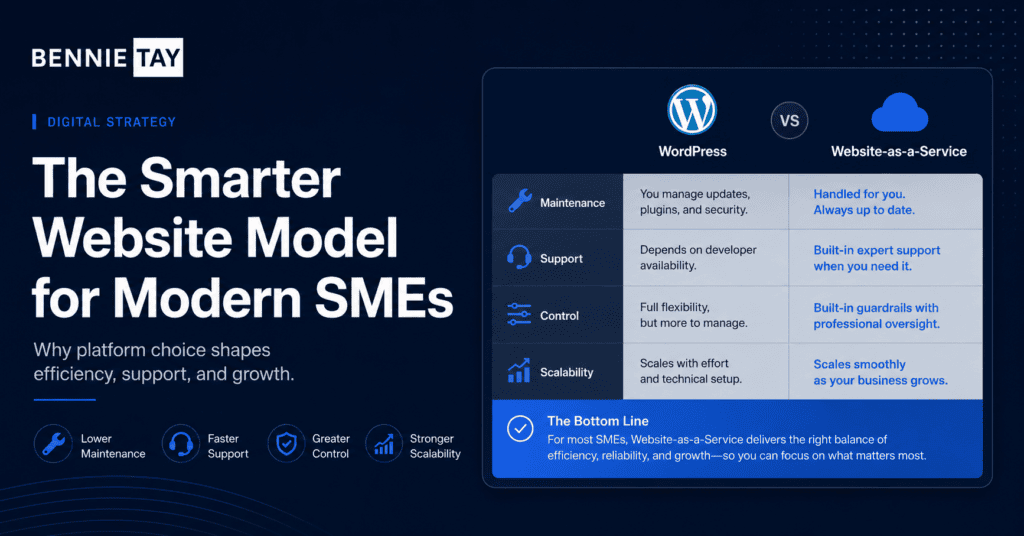
Many SMEs compare WordPress with Website-as-a-Service when planning a new website. Both can work, but they suit different needs, budgets, and levels of internal technical support.
WordPress is a flexible content management system that can power everything from simple business websites to complex platforms. Website-as-a-Service is a managed model where the website, hosting, maintenance, updates, and support are usually bundled into a monthly plan.
The better choice depends on how much control you need, how much maintenance you want to handle, and whether you prefer a larger upfront project or a managed monthly approach.
How WordPress works
WordPress gives you a flexible website platform. You can choose themes, plugins, hosting, page builders, custom development, and integrations. This flexibility is one reason it is widely used.
For SMEs, WordPress can be a strong choice when you need ownership, custom features, SEO content, blog publishing, landing pages, and room to grow.
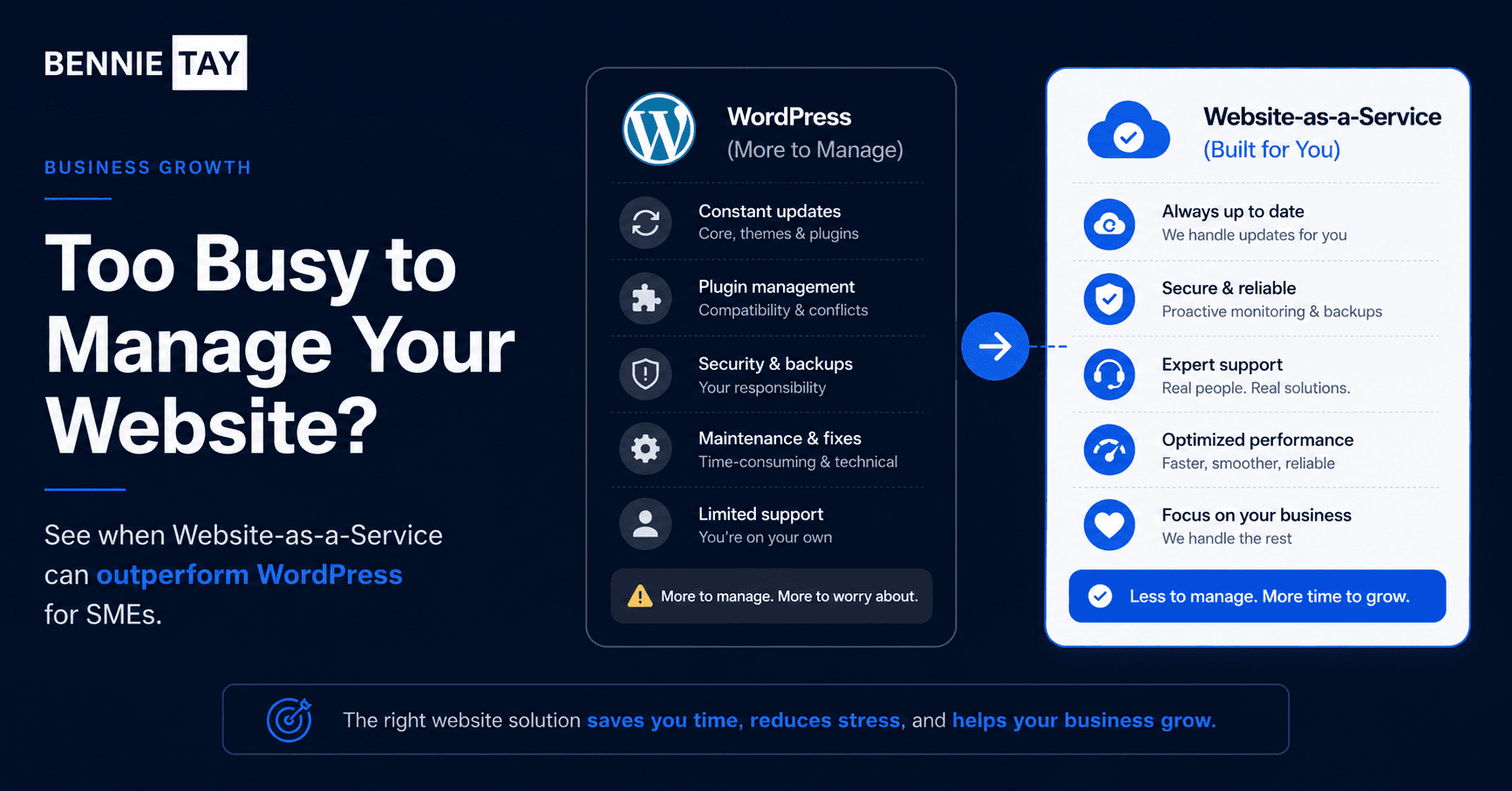
However, flexibility also brings responsibility. Someone needs to manage hosting, updates, backups, security, plugins, performance, and technical issues.
How Website-as-a-Service works
Website-as-a-Service usually bundles the website into an ongoing plan. Instead of paying a large upfront build fee and then managing everything separately, you pay monthly for design, hosting, maintenance, support, and updates depending on the provider.
This model can suit SMEs that want a professional website without dealing with the technical side. It can also make budgeting easier because costs are spread over time.
The details vary by provider, so it is important to check what is included, what happens if you cancel, and how much flexibility you have.
Cost differences
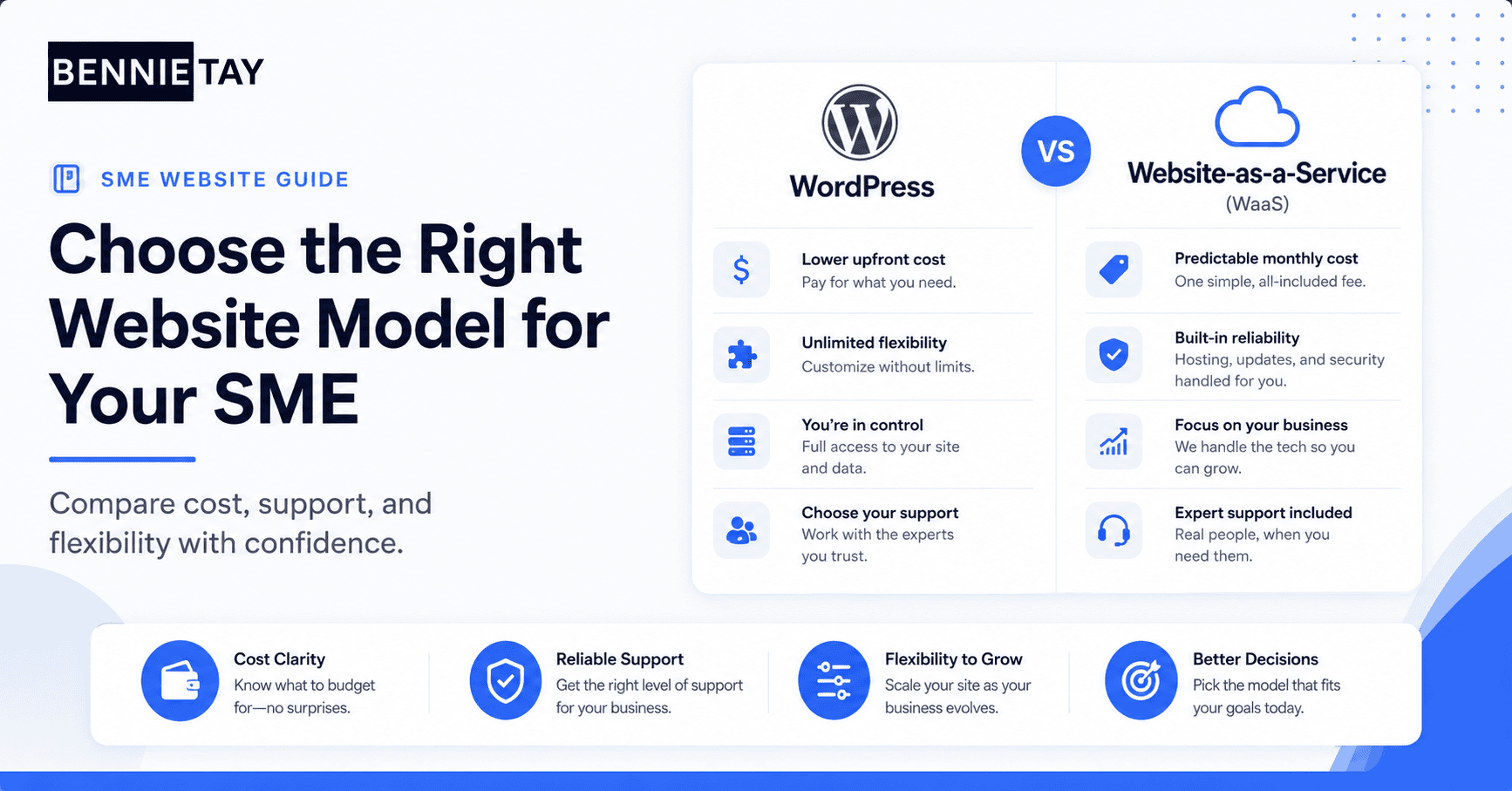
WordPress can be cheaper or more expensive depending on how it is built. A basic theme setup may cost less upfront, while a custom WordPress site with strategy, copywriting, design, and development can cost much more.
Website-as-a-Service usually reduces upfront cost but creates an ongoing monthly commitment. This can be helpful for cash flow, but you should compare the total cost over one, two, or three years.
The cheapest option is not always the best. SMEs should compare what is included, how much support is provided, and whether the website will actually help generate enquiries.
Maintenance and support
WordPress websites need maintenance. Plugins, themes, and core files need updates. Backups should be checked. Security needs attention. Performance may need optimization over time.
If your team has technical support, this may be manageable. If not, maintenance can become a hidden burden or get ignored until something breaks.
Website-as-a-Service is attractive because maintenance is usually included. For many SMEs, having someone responsible for updates and support is worth the monthly fee.
Flexibility and control
WordPress usually offers more flexibility. You can add plugins, change hosting, build custom features, and expand the site in many directions. This is useful for businesses with specific requirements.
Website-as-a-Service may be more limited depending on the provider. Some plans allow content updates and landing pages, while others use a more controlled system.
Before choosing, ask how much control you really need. More control is useful only if you have the time, skill, or budget to manage it properly.
Which is better for SMEs?
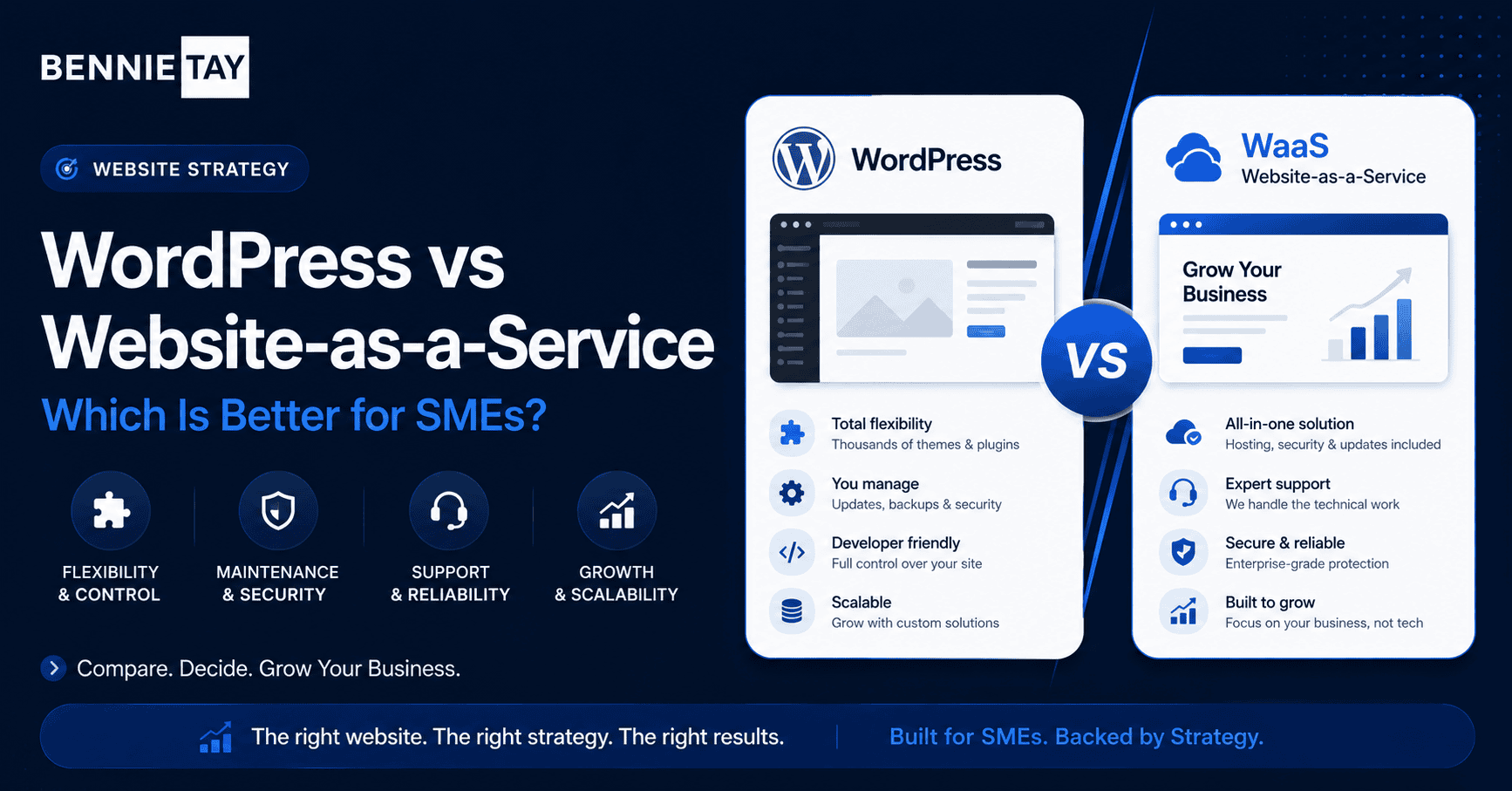
WordPress may be better if you want strong ownership, flexibility, custom features, and a long-term content strategy. It can also be a good choice if you already have reliable technical support.
Website-as-a-Service may be better if you want a managed solution, predictable monthly cost, ongoing support, and less technical responsibility.
For many SMEs, the real question is not just platform. It is whether the website provider can help with strategy, copy, design, SEO basics, speed, and conversion.
What to check before making changes
Before changing anything, look at the visitor journey for WordPress vs Website-as-a-Service. A useful review should cover the first headline, the page structure, the proof shown near decision points, the call to action, the form experience, and the follow-up expectation after someone submits an enquiry.
This review matters because many website problems are not caused by one weak section. They happen when several small points of friction work together. The message may be slightly unclear, the proof may appear too late, and the form may ask for too much information before trust has been built.
For SMEs comparing website options, the best improvements usually come from making the page easier to understand. A visitor should not have to guess who the offer is for, what happens next, or why your business is a credible choice.
How to improve results without overcomplicating the page
Start with the core action: choosing the website model that fits your budget and operations. Every major section should make that action feel more reasonable. The page does not need to answer every possible question, but it should answer the questions that stop qualified visitors from taking the next step.
Use short paragraphs, clear headings, direct examples, and proof that matches the offer. If a section does not help visitors understand, trust, compare, or act, it may be distracting them from the main goal.
Also make the next step feel low-friction. Tell people what they will receive, how long it takes, and whether there is any obligation. Small details like this can reduce hesitation and improve enquiry quality.
Common mistakes to avoid
A common mistake is focusing only on visuals. A cleaner design helps, but it cannot fix a weak offer, vague message, or confusing journey. Good design should support the message, not hide the fact that the message is unclear.
Another mistake is asking for action too early. If visitors have not yet seen benefits, proof, or a reason to trust you, a button alone will not persuade them. Build the case first, then make the action easy.
Finally, avoid copying another business blindly. Their page may be designed for a different audience, price point, traffic source, or sales process. Use competitors for reference, but build your page around your own customers and goals.
Final thoughts
WordPress gives SMEs flexibility and control, but it also requires maintenance and technical decisions. Website-as-a-Service gives SMEs a managed monthly model, but the level of flexibility depends on the provider.
Choose the option that fits how your business operates. The best website model is the one you can maintain, improve, and use consistently to support enquiries and growth.
How to measure whether it is working
After the page is live, measure more than visits. Look at enquiries, enquiry quality, form completion rate, button clicks, phone calls, bounce rate, and how visitors behave on mobile. These signals show whether the page is helping people move forward or simply attracting passive traffic.
For lead generation pages, the quality of enquiries matters as much as the number. A page that brings fewer but better-fit leads can be more valuable than a page that creates many weak enquiries. Review the questions people ask after contacting you. If they are confused about price, process, or fit, the page may need clearer information.
Also compare performance by traffic source. Search visitors, ad visitors, referral visitors, and social media visitors may behave differently. A page that works for one source may need changes before it works for another.
What the page should make clear
A strong page should make the basic decision easier. Visitors should understand what is offered, who it is for, what problem it solves, why the business is credible, and what the next step looks like. If any of these points are missing, the page may create hesitation.
Clarity is especially important for service businesses because the visitor cannot inspect the service like a physical product. They are judging the quality of your thinking, your process, your proof, and the way you explain the value.
Use plain language. Avoid broad claims that could apply to any provider. Specific explanations, examples, and proof help visitors decide whether your offer is relevant to them.
How to structure the page for easier reading
Most visitors scan before they read. Use a clear headline, short paragraphs, descriptive subheadings, and a logical order. Start with the visitor problem, explain the solution, show proof, answer objections, and then guide them to the next step.
Do not hide important information at the bottom. If pricing guidance, timelines, process, or eligibility affect the decision, include enough detail where visitors can find it easily. This can reduce poor-fit enquiries and improve trust.
The layout should support action without feeling pushy. Calls to action should appear after useful information, not only at the top of the page. Give visitors several natural moments to enquire once they understand the value.
A simple improvement checklist
Review the headline and make sure it matches the visitor’s main intent. Rewrite any vague section that talks about quality without explaining what the customer actually receives. Add proof close to the areas where a visitor may hesitate.
Check the mobile version carefully. Forms, menus, buttons, spacing, and images should feel easy to use on a phone. If the mobile experience feels cramped or slow, many visitors will leave before they reach the enquiry step.
Useful reference: When comparing WordPress with Website-as-a-Service, WordPress.org requirements show the hosting and technical baseline a self-managed site needs.Finally, test the enquiry path yourself. Submit the form, click the phone number, check confirmation messages, and review the follow-up process. A page can have strong copy and still lose leads if the final action is
awkward or broken.