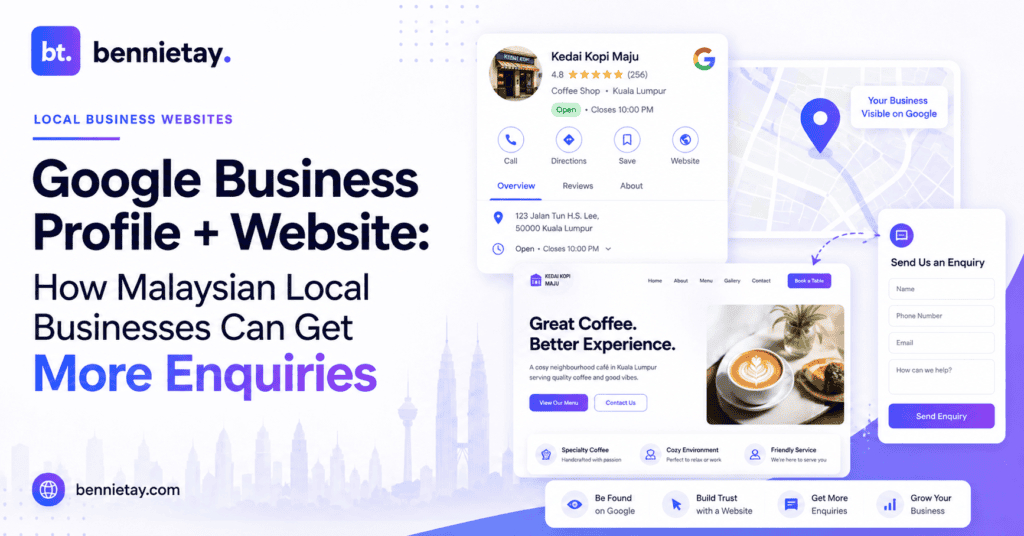
When someone needs a local service, they often begin with Google.
They might search for:
- aircon service near me
- accountant Petaling Jaya
- tuition centre Subang Jaya
- renovation contractor KL
- plumber near me
They may never visit your homepage first. Instead, they see your Google Business Profile in Search or Maps. They check your rating, read reviews, look at photos, confirm your opening hours and then decide whether your business deserves a closer look.
If they are interested, they click your website. That is why Malaysian local businesses should not treat Google Business Profile and their website as two separate marketing channels. Your Google Business Profile helps customers discover and quickly evaluate your business.
Your website helps them decide whether to contact you. When both work together properly, they create a stronger path from:
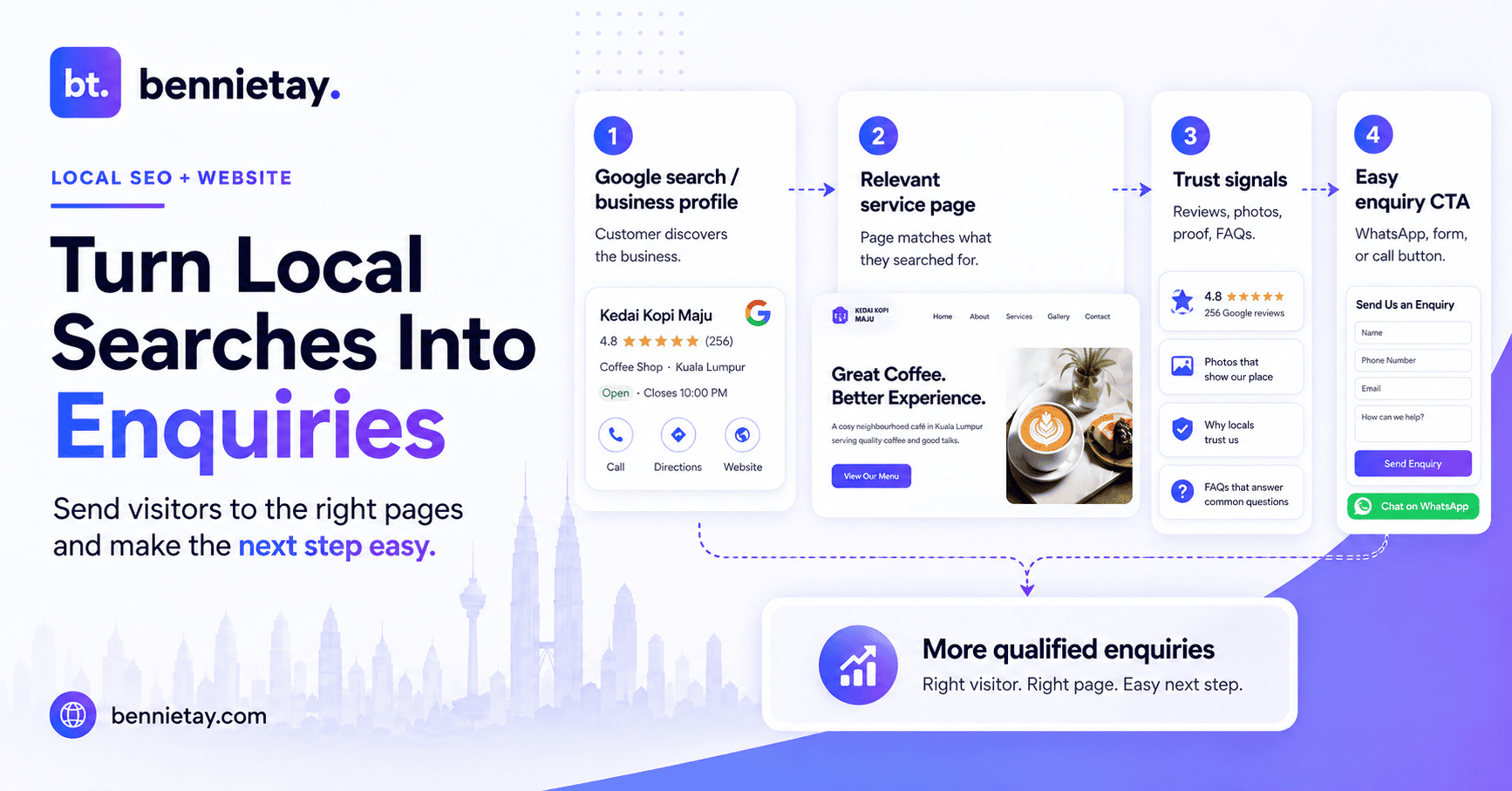
Google Search → Business Profile → Website → Service Page → WhatsApp / Call / Form → Enquiry
The goal is not simply to get more views on Google Maps. It is to turn local visibility into real customers.
Google Business Profile vs Website: What Does Each One Do?
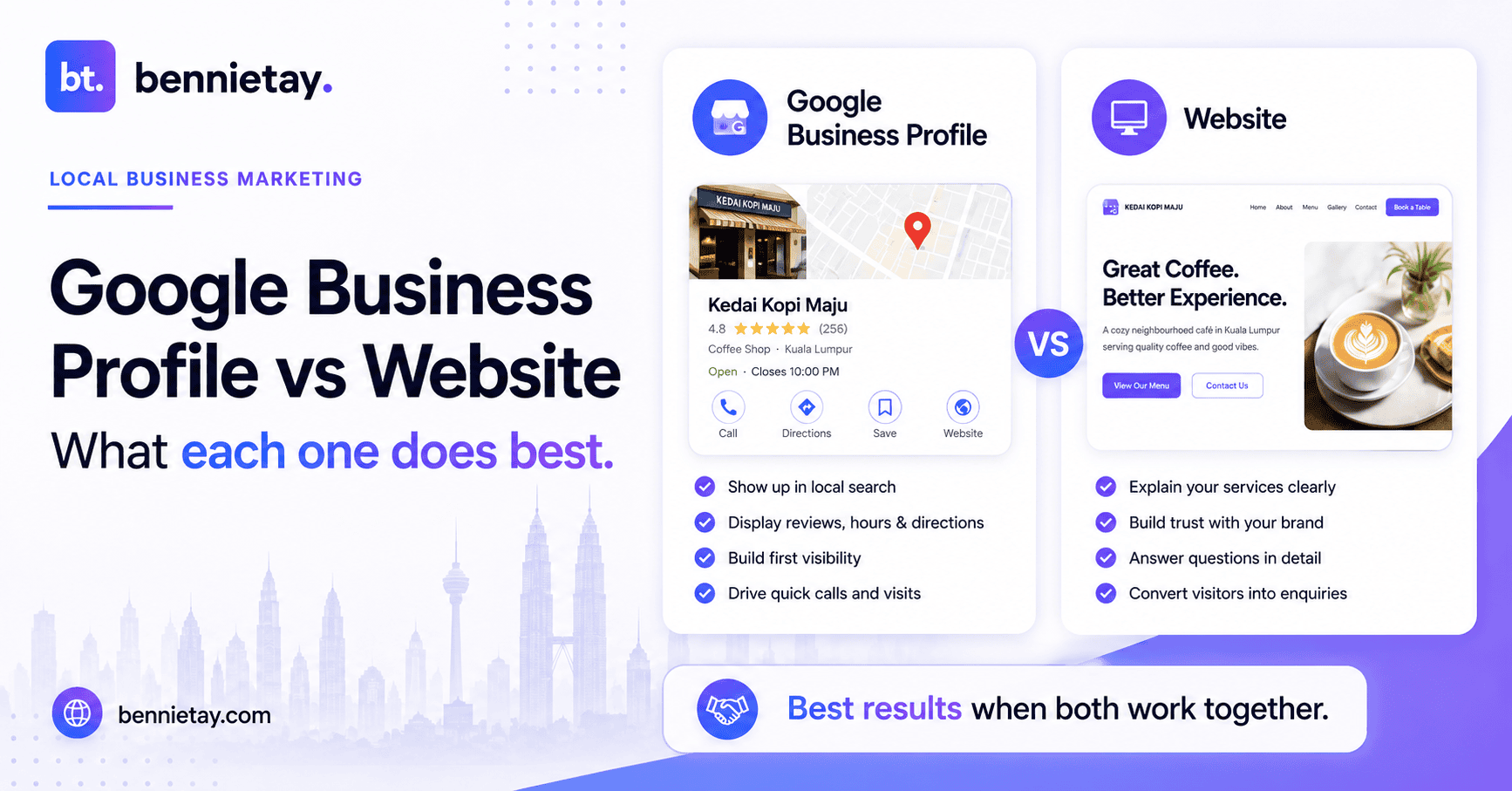
Think of your Google Business Profile as the discovery and first-impression layer.
It helps potential customers quickly understand:
- what your business does
- where you operate
- when you are open
- how to contact you
- what services you offer
- what previous customers think
- where to find your website
Your website provides the decision-making layer.
It gives you more space to explain:
- individual services
- pricing guidance
- your process
- testimonials
- case studies
- qualifications
- FAQs
- locations served
- reasons to choose you
- how to request a quotation
This matters because someone considering a higher-value service will usually need more information than a Google listing can provide. A renovation customer may want to see completed projects. A business owner looking for an accountant may want to understand your services and experience. A parent choosing a tuition centre may want to see teaching methods, subjects and facilities.
Google can introduce the business. Your website still needs to complete the sale.
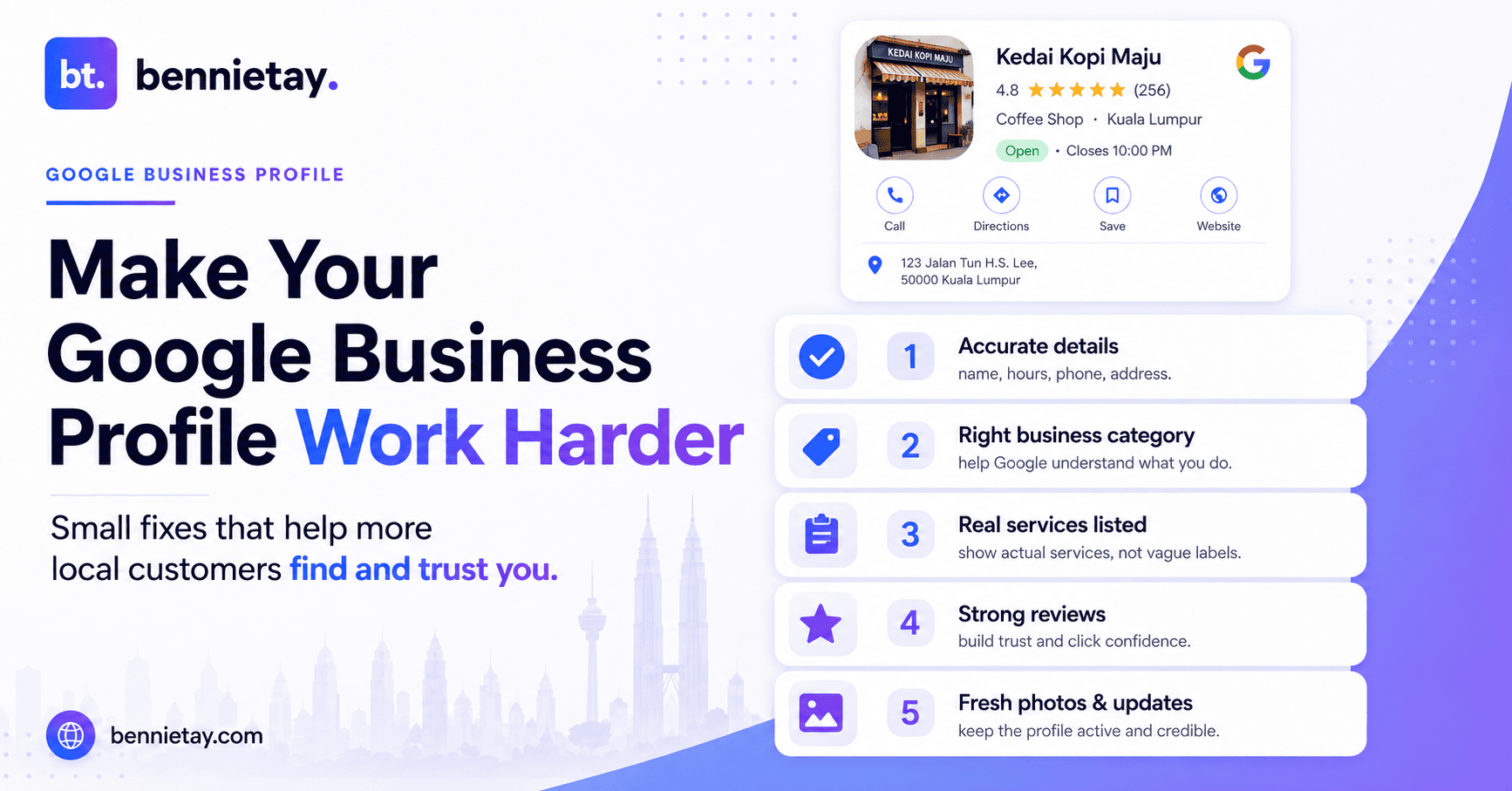
1. Keep Your Google Business Profile Complete and Accurate
Before worrying about sophisticated local SEO strategies, get the fundamentals right.
Review important information such as:
- business name
- primary category
- phone number
- website
- opening hours
- address, where relevant
- service areas
- services
- business description
- photographs
Pay particular attention when your business changes something. If your website says you close at 6:00pm but your Google profile says 8:00pm, customers receive conflicting information. If your telephone number changes but Google still shows the old one, you could lose enquiries without even knowing it.
Accurate information helps both customers and Google understand your business. Local SEO becomes considerably harder when even the basic facts disagree with each other.
2. Use Your Real Business Name
Your Google Business Profile should reflect the business as it actually exists.
If your real company name is:
ABC Plumbing
do not rename the profile:
ABC Plumbing Best Plumber KL Cheap Plumbing Kuala Lumpur 24 Hour
in an attempt to squeeze every possible search keyword into the title. It looks unnatural and may conflict with Google’s guidelines. Use your genuine business name consistently across:
- your Google profile
- website
- signage
- directories
- social profiles
- other business listings
Build keyword relevance through your services, categories, website pages and content instead. There are plenty of legitimate places to use keywords. Your company name does not need to become an entire search query.
3. Choose the Right Business Categories
Your Google Business Profile category helps Google understand what your company actually does. Be specific and accurate. A tuition centre should choose a category that reflects its real activity. An accounting practice should select categories related to the professional services it provides. A renovation business should choose categories relevant to renovation or contracting work.
Google identifies relevance, distance and prominence as important factors in local results. You cannot control where every customer is searching from. You can improve how clearly Google understands your business.
The correct categories, services and website content all help improve that clarity.
4. Add Your Main Services
Where available, add your real services directly to your Google Business Profile.
For example, an accounting practice might list:
- bookkeeping
- corporate tax
- payroll services
- management accounts
- company secretarial services
A renovation company might include:
- home renovation
- kitchen renovation
- bathroom renovation
- office renovation
- condominium renovation
Then make sure the important services also appear clearly on your website. Ideally, commercially valuable services should have their own dedicated pages.
For example:
/kitchen-renovation//bookkeeping-services//aircon-servicing//secondary-school-tuition/
This creates consistency between what customers see on Google and what they find after clicking through. It also gives search engines more detailed information about the services you want to be found for.
5. Make Your Website Match What the Customer Searched For
This is where many businesses waste the traffic they worked so hard to generate.
Imagine someone searches:
Kitchen renovation Petaling Jaya
They find your Google Business Profile.
Your reviews look good.
They click your website.
And the first thing they see is:
WELCOME TO OUR WEBSITE
followed by a huge banner image and several paragraphs about the company’s history.
The customer still does not know whether you actually provide kitchen renovation services in Petaling Jaya.
A much stronger headline would be:
Kitchen Renovation Services in Petaling Jaya
followed by a simple explanation of what you offer and who you serve.
The same principle works for other industries.
An accountant could use:
Accounting, Tax and Bookkeeping Services for SMEs in Petaling Jaya
A tuition centre might say:
Primary and Secondary Tuition in Subang Jaya
An air-conditioning contractor could lead with:
Aircon Servicing and Repair Across Kuala Lumpur and Petaling Jaya
When somebody arrives from Google, your website should immediately confirm:
Yes, you have found the right business.
What Should a Local Service Page Include?
A strong service page should answer the questions customers typically ask before contacting you.
Depending on your business, consider including:
What the service covers
Explain clearly what you provide.
Avoid vague descriptions such as “complete solutions for all your needs.”
Customers want actual information.
Who the service is for
Specify relevant customer groups, property types or situations.
Your process
Explain what normally happens from the first enquiry through delivery.
Pricing guidance
If fixed pricing is difficult, explain the factors that affect price or provide a starting range.
Examples of your work
Use real projects, case studies or photographs where appropriate.
Frequently asked questions
Answer common concerns before the visitor needs to ask.
Areas served
Make your geographical coverage clear.
A clear call to action
Examples include:
Request a Quote
Book a Consultation
WhatsApp Us
Check Availability
Do not make customers search three pages to figure out how to contact you.
They have already demonstrated interest. Make the next step easy.
6. Create Service Area Pages Only When They Are Useful
If your business serves multiple locations, local landing pages can help both customers and search engines.
For example, an aircon company might genuinely serve:
- Petaling Jaya
- Subang Jaya
- Shah Alam
- Puchong
- Kuala Lumpur
You could create useful pages such as:
Aircon Service in Petaling Jaya
Aircon Service in Subang Jaya
But avoid creating dozens of identical pages where only the city name changes.
A useful local page might include:
- services available in the area
- neighbourhoods covered
- local projects
- customer testimonials
- common property types
- response or appointment process
- relevant local FAQs
- quotation information
Build location pages because they help customers.
Do not build them simply because a keyword research tool produced a large spreadsheet.
You can learn more about creating useful local SEO service-area pages.
7. Configure Service Areas Properly
Some businesses travel directly to customers rather than operating from a customer-facing shop or office.
Examples may include:
- plumbers
- electricians
- cleaning companies
- renovation contractors
- mobile repair businesses
- installation services
Google refers to these as service-area businesses.
Eligible businesses can define service areas that reflect where they genuinely operate. The key word is genuinely. Do not add every town in Malaysia simply because you would happily accept money from someone living there. Keep the service area aligned with your actual operations, and use the website to provide deeper information about the locations that matter most to your business.
8. Use Google Reviews to Build Trust
Reviews can heavily influence whether someone clicks, calls or chooses another business. A strong review profile provides quick social proof. But do not let all your credibility live on Google.
Use your website to reinforce it with:
- testimonials
- project examples
- case studies
- customer stories
- professional qualifications
- team information
For example, a Google review might say: Excellent renovation work and very responsive.
Your website could then feature: Petaling Jaya Condominium Kitchen Renovation Case Study with real photographs and information about the work. The Google review creates initial confidence.
The website provides deeper evidence. This becomes particularly important for higher-value services where customers compare several businesses before making a decision.
9. Ask Customers for Genuine Reviews
Satisfied customers do not always remember to leave a review by themselves. Create a simple review request process.
Useful moments include:
- after completing a project
- after delivering a service
- after resolving a support issue
- after receiving positive customer feedback
You can provide customers with a direct review link or QR code where appropriate. Keep the request simple: Thank you for choosing us. If you have a moment, we would appreciate an honest Google review about your experience.
Ask for an honest review. Do not offer discounts, cash or gifts in return for positive ratings.
Authentic reviews are much more useful than suspicious five-star praise produced after someone discovered an incentive programme.
10. Respond to Reviews Professionally
Your reply is not only for the customer who wrote the review. Future customers may read it too. For positive feedback, keep your response natural and concise. For negative feedback, avoid public arguments.
A professional response can:
- acknowledge the concern
- explain briefly where appropriate
- remain polite
- invite an offline discussion if necessary
Potential customers understand that problems occasionally happen. They are often more interested in seeing how a company responds when something goes wrong. Your review responses are therefore part of your reputation.
11. Use Real Business Photos
Customers want evidence that your business actually exists and does the work it claims to do.
Useful photos might include:
- storefront or office
- employees
- equipment
- completed projects
- work in progress
- classrooms
- products
- facilities
Use real photos on both your Google Business Profile and website. A renovation contractor should show genuine projects. A tuition centre can show real facilities and learning environments where appropriate. A professional practice can introduce its actual team.
Generic stock images of people smiling aggressively at laptops have already served humanity quite enough. Show customers the real business whenever possible.
12. Keep Google and Your Website Consistent
Your Google Business Profile and website should tell the same story.
Regularly compare:
- business name
- phone number
- location
- service areas
- opening hours
- services
- branding
- contact details
If Google advertises a service that your website never mentions, potential customers may question whether you actually provide it.
If your website promotes a new location while Google still lists an old one, confidence drops.
Consistency makes the customer journey simpler and reduces uncertainty.
13. Understand Local Ranking Factors
No legitimate consultant can guarantee that your business will permanently occupy the number-one position on Google Maps.
Google explains local results mainly around three factors:
Relevance
How well your business matches what someone is searching for.
Improve relevance through accurate categories, services and useful website content.
Distance
How far the business is from the searcher’s location.
You have limited control over this.
Prominence
How recognised or established the business appears.
Google may consider signals such as reviews, links and other information available across the web.
This means a sensible local SEO strategy should include:
- genuine customer reviews
- useful website content
- strong service pages
- relevant links and mentions
- consistent business information
- an established local brand
There is no mysterious “Rank #1 Instantly” setting hiding inside your Google account.
A disappointing design choice, perhaps, but probably good for civilisation.
14. Add LocalBusiness Structured Data
Your website can also use LocalBusiness structured data to help search engines interpret important business information.
Depending on your business, structured data can support details such as:
- company name
- address
- telephone number
- opening hours
- business type
- website information
This is useful technical SEO, but it should support strong website content rather than replace it. Adding perfect schema markup to a poor service page will not suddenly make that page convincing. Get the customer experience right first. Then improve how search engines understand it.
15. Measure Enquiries, Not Just Rankings
Rankings matter because visibility matters. But rankings are not the final business outcome. Track what happens after somebody discovers you.
Useful metrics include:
- Google Business Profile interactions
- website visits
- WhatsApp clicks
- phone calls
- enquiry forms
- qualified leads
- bookings or sales
The real funnel should look something like:
Google Search → Profile → Website → Enquiry → Customer
A keyword moving from position six to position three is nice. A relevant prospect asking for a quotation is considerably nicer. Optimise for the business result.
A Simple Google Business Profile + Website Funnel
Imagine an accounting firm targeting SMEs in Petaling Jaya.
Step 1: Customer Searches
Accountant Petaling Jaya
Step 2: Google Business Profile Builds Initial Trust
The customer sees:
- reviews
- services
- opening hours
- photos
- contact details
Step 3: Customer Visits the Website
The homepage immediately states:
Accounting, Tax and Bookkeeping Services for Malaysian SMEs in Petaling Jaya
Step 4: Customer Opens a Relevant Service Page
They learn about:
- bookkeeping
- scope
- process
- pricing approach
- qualifications
- FAQs
Step 5: Website Reinforces Trust
They see:
- team members
- credentials
- testimonials
- useful content
Step 6: Customer Takes Action
Book a Consultation
or
WhatsApp Us
Google has now done more than generate a website visitor.
It has helped create a qualified enquiry.
That is the outcome worth optimising for.
Frequently Asked Questions
Is Google Business Profile free in Malaysia?
Yes. Eligible businesses can create and manage a Google Business Profile without paying Google for the listing.
Do I still need a website if I have Google Business Profile?
For most local service businesses, yes. Google provides quick information, while your website gives customers deeper information about services, pricing, case studies, FAQs and the enquiry process.
The two work best together.
Can Google reviews help local rankings?
Reviews can contribute to the prominence of a business and may support local visibility. More importantly, genuine positive reviews can influence whether potential customers trust you enough to contact you.
Can I create multiple Google profiles for different towns?
Not simply because your business serves multiple towns. Businesses should create profiles only for eligible real-world locations. For service coverage, use appropriate service-area settings and useful website location pages.
Should I create a website page for every location I serve?
No. Create location pages when you can provide genuinely useful information for people in that area. A smaller number of strong local pages is usually better than dozens of near-identical pages where only the town name changes.
Turn Local Search Visibility Into Real Enquiries
Getting found on Google is only the first step. Potential customers still need answers to several important questions:
- What do you do?
- Do you serve my location?
- Can I trust you?
- Have you done this before?
- What happens next?
- How do I contact you?
Your Google Business Profile should help customers discover and quickly evaluate your business. Your website should take over from there by providing useful information, stronger proof and a clear path towards an enquiry. When these two assets work together, local SEO stops being only about rankings.
It becomes a customer acquisition system.
The goal is simple:
Get found. Build trust. Make the next step easy. Generate the enquiry.
At Bennie Studio, websites are built around this complete journey, combining service-focused pages, local SEO foundations, trust signals and clear conversion paths to help turn search visibility into business opportunities.
Explore Managed Website Growth Plans
Already getting Google views and website traffic but not enough enquiries?
Get a Free Website Growth Audit →