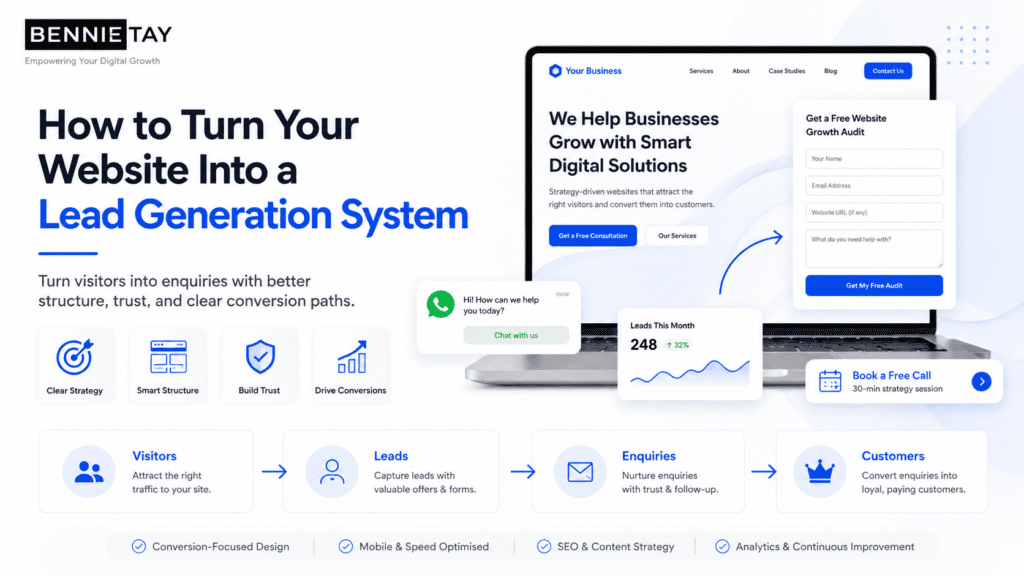
Most businesses have a website. Far fewer have a website that consistently generates leads.
A website should not only explain who you are and what you offer. It should help attract the right visitors, build trust, capture enquiries, and move potential customers closer to buying.
The problem is that many websites are still built like digital brochures. They have basic information, a contact page, and a few service descriptions, but they do not guide visitors through a clear decision-making journey.
A lead generation system is different.
It is designed with a clear strategy. Every section, page, button, form, and piece of content has a purpose. The goal is to turn more visitors into enquiries, calls, bookings, quote requests, subscribers, or sales opportunities.
This guide explains how to turn your website into a lead generation system, including the key pages, conversion elements, SEO structure, tracking setup, and follow-up process your business needs.
What Is a Lead Generation Website?
A lead generation website is a website designed to convert visitors into potential customers.
Instead of simply displaying information, it encourages visitors to take action.
That action may include:
- Filling out a contact form
- Booking a consultation
- Requesting a quote
- Calling your business
- Sending a WhatsApp message
- Downloading a guide
- Joining an email list
- Scheduling an appointment
- Starting a free trial
- Registering for a webinar
The goal is not just traffic. The goal is qualified enquiries.
A website that gets visitors but does not generate leads is not performing as a business asset. It may look nice, but it is not supporting sales effectively.
Why Most Websites Do Not Generate Leads
Many websites fail because they are built around appearance instead of conversion.
Common problems include:
- Unclear homepage message
- Weak calls to action
- No clear offer
- Poor mobile experience
- Slow loading speed
- No trust proof
- Long contact forms
- Generic service descriptions
- No pricing guidance
- No lead magnet
- Poor SEO structure
- No conversion tracking
- No follow-up system
A good lead generation website is not just about better design. It is about creating a better customer journey.
Visitors should quickly understand:
- What you offer
- Who it is for
- Why it matters
- Why they should trust you
- What they should do next
If your website does not answer these questions clearly, visitors may leave without contacting you.
Step 1: Define the Main Goal of Your Website
Before changing your website, define the main action you want visitors to take.
Do you want them to:
- Book a call?
- Request a quote?
- Send a WhatsApp message?
- Fill out a form?
- Download a checklist?
- Sign up for a free trial?
- Schedule an appointment?
A website can have multiple conversion points, but it should still have one primary goal.
For example, a local service business may prioritize “Request a Quote.”
A consultant may prioritize “Book a Free Consultation.”
A Website-as-a-Service provider may prioritize “Start Your Website Plan” or “Book a Demo.”
When your goal is clear, your website structure becomes easier to plan. Every important page should guide visitors toward that action.
Step 2: Create a Clear Value Proposition
Your value proposition explains why someone should choose your business.
It should be visible near the top of your homepage.
A weak value proposition might say: “Professional Solutions for Your Business”
This sounds polished, but it does not say much.
A stronger value proposition would say: “Affordable Monthly Website Plans for Small Businesses That Need More Enquiries”
This is stronger because it explains:
- What is offered
- Who it is for
- What outcome the customer wants
A good value proposition should answer:
- What do you do?
- Who do you help?
- What problem do you solve?
- What result can customers expect?
- Why are you different?
If visitors cannot understand your value within a few seconds, your website may lose leads before they read the rest of the page.
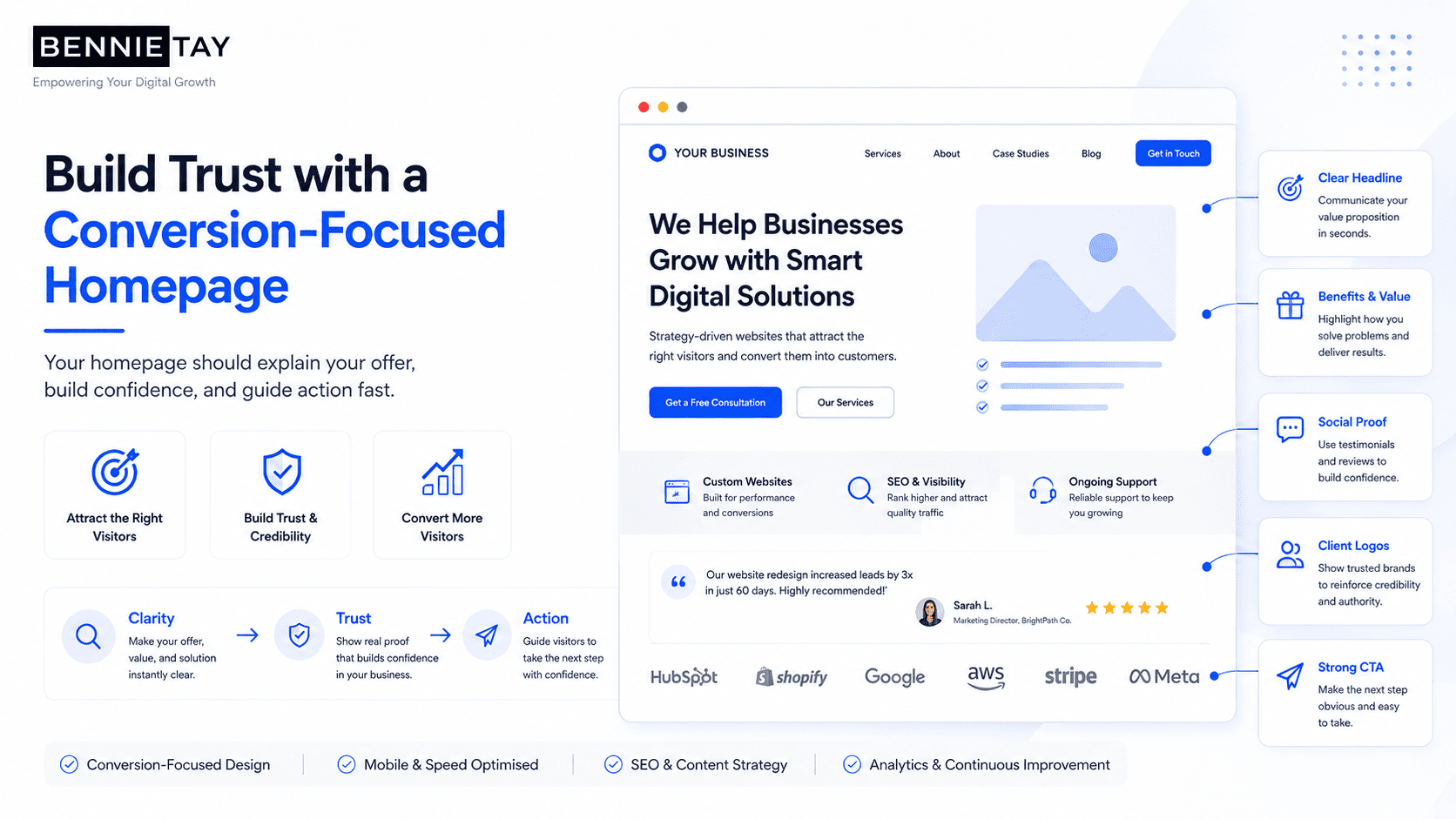
Step 3: Build a Conversion-Focused Homepage
Your homepage should act like a guided sales conversation.
It should not be a random collection of sections. It should move visitors from awareness to trust to action.
A strong lead generation homepage can follow this structure:
- Hero section with clear headline and CTA
- Trust indicators
- Problem section
- Solution section
- Services or offer overview
- Benefits
- How it works
- Testimonials or proof
- Pricing guidance or package preview
- FAQ section
- Final CTA
- Contact section
Each section should answer a customer question.
For example:
- Hero: “Am I in the right place?”
- Problem: “Do they understand my issue?”
- Solution: “Can they help me?”
- Benefits: “Why should I care?”
- Proof: “Can I trust them?”
- Pricing: “Is this within my budget?”
- FAQ: “What else do I need to know?”
- CTA: “What should I do next?”
A homepage designed this way is more likely to generate leads than a page that only talks about the company.
Step 4: Use Strong Calls to Action
Your call to action, also known as a CTA, tells visitors what to do next.
Many websites lose leads because the CTA is weak, hidden, or too generic.
Weak CTA examples include:
- Submit
- Learn More
- Click Here
- Contact
- Read More
Stronger CTA examples include:
- Request a Free Quote
- Book a Free Consultation
- Start Your Website Plan
- Send Us a WhatsApp Message
- Schedule an Appointment
- Download the Free Checklist
- Get a Free Website Audit
Your CTA should be specific and connected to the visitor’s intent.
Place CTA buttons in important areas such as:
- Header
- Hero section
- Service sections
- Pricing section
- FAQ section
- Blog posts
- Footer
- Mobile sticky button
Visitors should never have to search for how to contact you.
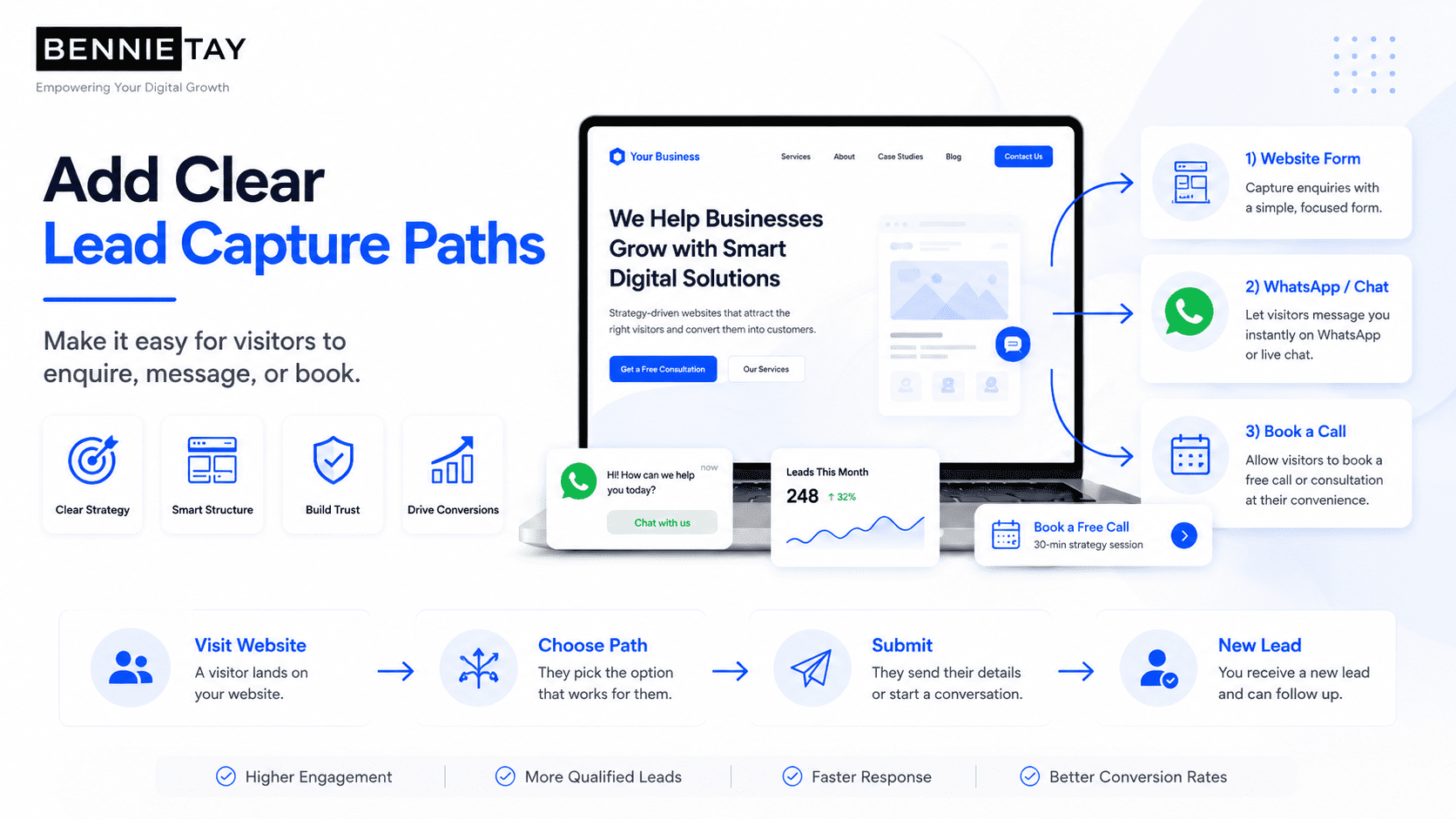
Step 5: Make Contact Easy
A lead generation website must make it easy for visitors to reach you. Different visitors prefer different contact methods. Some want to call. Some want to send a message. Some prefer forms. Others want to book a time directly.
Useful contact options include:
- Contact form
- Phone number
- Click-to-call button
- WhatsApp button
- Email address
- Booking calendar
- Live chat
- Quote request form
- Demo request form
For mobile users, click-to-call and WhatsApp buttons can be especially effective. Avoid making visitors fill out long forms unless necessary. A simple lead form usually needs:
- Name
- Email or phone number
- Service interest
- Message
The easier it is to contact you, the more leads your website can generate.
Step 6: Build Dedicated Service Pages
Many businesses make the mistake of putting all services on one page. A better approach is to create a dedicated page for each main service.
For example, a website business could have separate pages for:
- Monthly website plans
- Custom website design
- Landing page design
- Website redesign
- SEO website setup
- Website maintenance
A dedicated service page gives you more space to explain the offer and target specific search terms.
A strong service page should include:
- Service-specific headline
- Problem the customer faces
- How the service solves it
- What is included
- Benefits
- Who it is for
- Process
- Testimonials or proof
- Pricing guidance
- FAQs
- CTA
Service pages help both conversion and SEO. They give visitors more relevant information and give search engines clearer signals about what your business offers.
Step 7: Add Trust Proof Across the Website
People do not become leads unless they trust you. Trust proof helps reduce doubt and increases confidence.
Useful trust elements include:
- Customer testimonials
- Google reviews
- Case studies
- Project examples
- Before-and-after results
- Client logos
- Certifications
- Awards
- Screenshots
- Team photos
- Business address
- Clear contact details
- Years of experience
- Media mentions
Do not hide all your proof on one testimonial page. Place trust proof throughout the website, especially near CTAs. For example, after explaining your service, show a testimonial from someone who used that service.
After presenting pricing, show proof that customers received value. Trust proof works best when it appears at the moment visitors may be hesitating.
Step 8: Add Pricing Guidance
Many businesses avoid showing pricing because every project is different. That is understandable, but giving no pricing information can create hesitation.
Visitors may wonder:
- Is this affordable?
- Is this too expensive?
- Will I waste time asking?
- Do they work with businesses like mine?
- What should I expect?
You do not always need to show exact prices. You can provide pricing guidance.
Examples include:
- “Managed Website: see current pricing and setup fees”
- “Website redesign projects are quoted after a scope review”
- “Custom quotes available after consultation”
- “Pricing depends on project scope, number of pages, and functionality”
- “Book a free consultation for an accurate estimate”
Pricing guidance helps qualify leads and builds transparency. It can also reduce enquiries from people who are not a good fit.
Step 9: Create a Lead Magnet
Not every visitor is ready to contact you immediately. Some visitors are interested but still researching. If your website only offers a contact form, you may lose them.
A lead magnet gives visitors a reason to share their contact information earlier.
Lead magnet examples include:
- Free checklist
- Website audit
- Pricing guide
- PDF guide
- Template
- Calculator
- Email course
- Webinar
- Industry report
- Discount voucher
- Consultation call
For example, a website service business could offer: “Download the Small Business Website Launch Checklist”
or “Get a Free Website Lead Generation Audit”
A lead magnet helps you capture visitors who are not ready to buy yet but may become customers later.
Step 10: Improve Website Speed
A slow website can reduce leads. Visitors expect websites to load quickly, especially on mobile. If your pages take too long, people may leave before reading your offer.
Common causes of slow websites include:
- Large image files
- Too many plugins
- Poor hosting
- Heavy animations
- Unoptimized videos
- Bloated themes
- Too many third-party scripts
- No caching
- Old code
To improve speed:
- Compress images
- Use modern image formats
- Remove unnecessary plugins
- Use reliable hosting
- Reduce heavy scripts
- Avoid oversized videos
- Enable caching
- Test mobile performance
Website speed affects user experience, conversion, and SEO. A faster website gives visitors fewer reasons to leave.
Step 11: Make the Website Mobile-Friendly
A lead generation website must work well on mobile. Many potential customers browse from their phones. This is especially true for local businesses and service providers.
A mobile-friendly website should have:
- Easy-to-read text
- Tap-friendly buttons
- Simple navigation
- Fast loading pages
- Short forms
- Click-to-call buttons
- WhatsApp buttons
- Clear spacing
- No broken sections
- No tiny text
- No awkward popups
Always test your website on a real phone.
Ask yourself:
- Can I understand the offer quickly?
- Can I contact the business easily?
- Are the buttons easy to tap?
- Is the form simple?
- Does the site feel fast?
- Is the content easy to read?
If mobile visitors struggle, your website will lose leads.
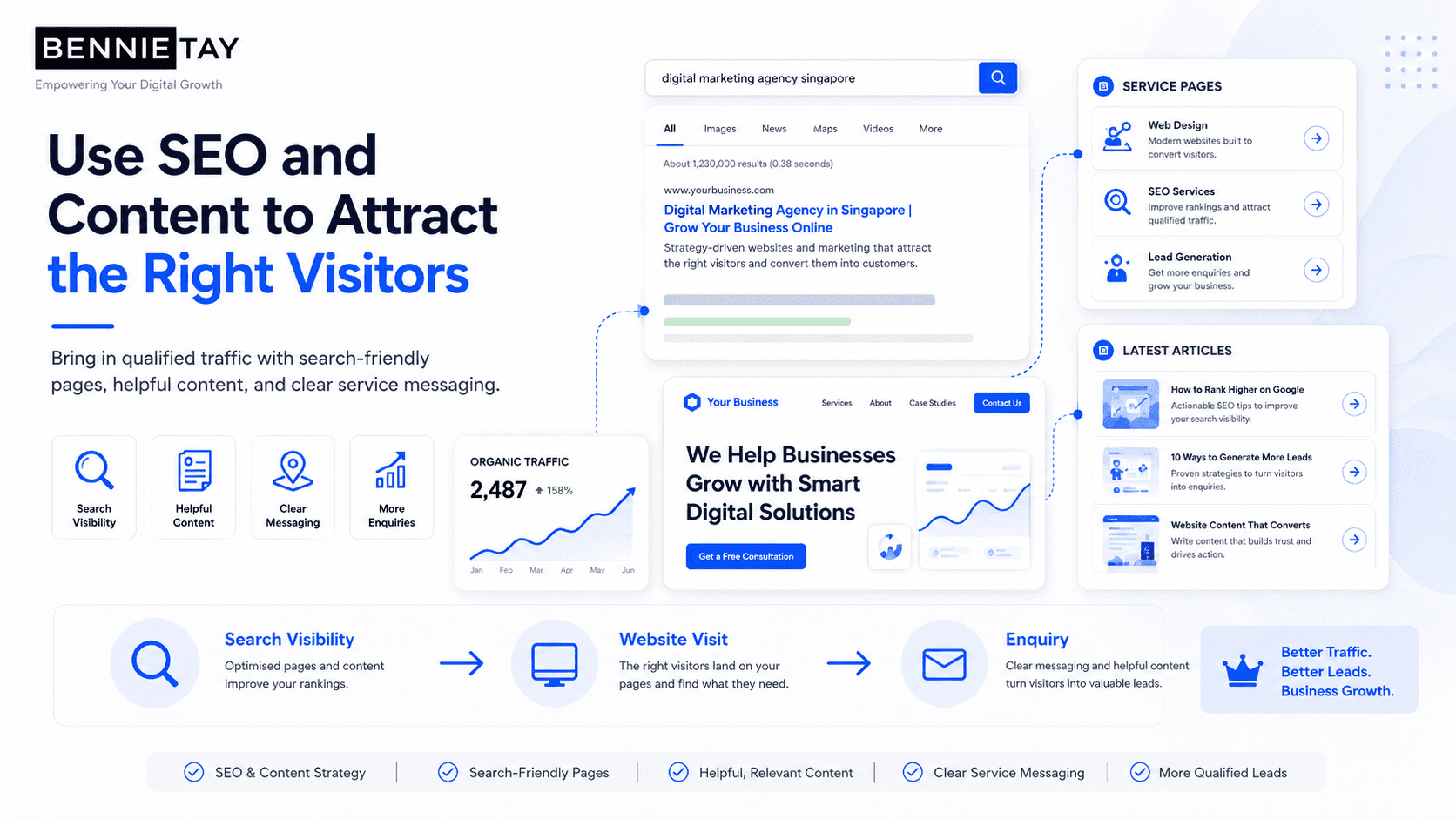
Step 12: Use SEO to Attract the Right Visitors
A website cannot generate leads if the right people cannot find it. Search engine optimization helps your website appear when people search for your services.
A lead generation website should include SEO basics such as:
- Keyword-focused page titles
- Meta descriptions
- Proper heading structure
- Service-specific pages
- Location pages if relevant
- Blog content
- Internal links
- Image alt text
- Clean URLs
- Fast loading speed
- Mobile-friendly design
For service businesses, good SEO structure is especially important. Instead of only targeting one broad keyword, create pages for specific services and customer questions.
For example:
- Website-as-a-Service Explained
- Website-as-a-Service vs Custom Website
- Monthly Website Plan vs One-Time Website Build
- Landing Page vs Website
- Website Redesign Checklist
- Best Website Structure for Service Businesses
These pages attract people at different stages of the buying journey.
Step 13: Create Content for the Customer Journey
Not every visitor is ready to buy immediately. Some are just learning. Some are comparing options. Some are ready to contact you. Your content should support each stage.
Awareness Stage
The visitor is learning about a problem.
Content examples:
- Why Most Small Business Websites Do Not Generate Leads
- How to Know If Your Website Is Costing You Customers
- Common Website Mistakes Small Businesses Make
Consideration Stage
The visitor is comparing solutions.
Content examples:
- Website-as-a-Service vs Custom Website
- Monthly Website Plan vs One-Time Website Build
- Landing Page vs Website
Decision Stage
The visitor is close to taking action.
Content examples:
- Pricing page
- Case studies
- Testimonials
- FAQ page
- Service pages
- Free consultation page
When your website supports the full journey, it can convert more visitors over time.
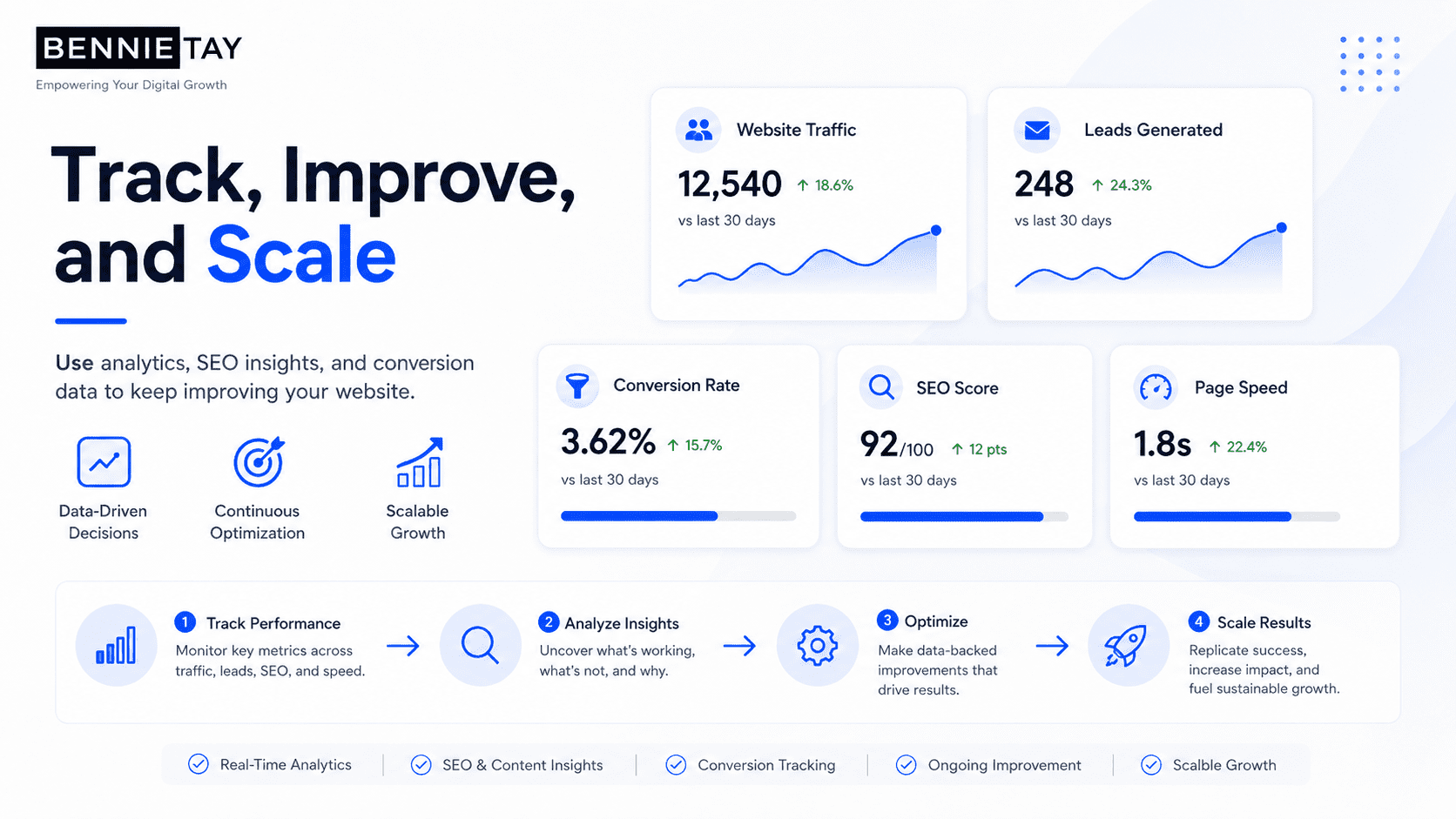
Step 14: Add Conversion Tracking
A lead generation system needs measurement. If you are not tracking conversions, you may not know whether your website is working.
Track actions such as:
- Form submissions
- Phone clicks
- WhatsApp clicks
- Booking link clicks
- Email clicks
- Quote requests
- Lead magnet downloads
- Demo bookings
- Pricing page visits
- CTA button clicks
Useful tools include:
- Google Analytics
- Google Search Console
- Google Tag Manager
- Meta Pixel
- LinkedIn Insight Tag
- CRM tracking
- Heatmap tools
Tracking helps you see which pages and traffic sources generate leads. Without tracking, you are guessing.
Step 15: Connect Your Website to a Follow-Up System
Generating a lead is only the beginning. If enquiries are not followed up quickly, potential customers may choose someone else. A website lead generation system should connect to a follow-up process.
This could include:
- Email notifications
- CRM pipeline
- WhatsApp follow-up
- Automated confirmation email
- Booking calendar
- Lead scoring
- Reminder tasks
- Sales notes
- Follow-up sequences
For example, after someone submits a form, they could receive:
- Confirmation message
- Thank-you email
- Link to book a call
- Relevant case study
- Service brochure
- Next-step instructions
Fast follow-up can improve conversion from lead to customer.
Step 16: Use Landing Pages for Specific Offers
Your main website is your long-term foundation. Landing pages help you promote specific offers.
A landing page is useful for:
- Paid ads
- Product launches
- Free consultations
- Lead magnets
- Webinars
- Seasonal promotions
- Niche-specific campaigns
- Location-specific offers
Unlike a general homepage, a landing page focuses on one goal. For example, instead of sending ad traffic to your homepage, you could send visitors to: “Managed Websites for Service Businesses”
That page should focus only on that offer, with a clear CTA and minimal distractions. Landing pages can improve lead generation because they match the visitor’s intent more closely.
Step 17: Improve Blog-to-Service Internal Links
Blog posts can attract visitors, but they should not be dead ends. Every blog post should guide readers to a relevant next step.
For example:
A blog post about “How Much Does a Small Business Website Cost?” should link to:
- Monthly website plans
- Website-as-a-Service page
- Pricing page
- Free consultation CTA
A blog post about “Website Redesign Checklist” should link to:
- Website redesign service
- Free website audit
- Contact page
Internal links help visitors move from education to enquiry. They also help SEO by connecting related pages.
Step 18: Review and Improve Regularly
A lead generation website is never truly finished.
You should review performance regularly and improve based on data.
Look at:
- Which pages get the most traffic
- Which pages generate leads
- Which CTAs get clicked
- Which forms are completed
- Where visitors leave
- Which keywords bring traffic
- Which devices convert best
- Which lead sources produce customers
Then improve:
- Headlines
- CTAs
- Forms
- Page speed
- Trust proof
- Service pages
- FAQs
- Internal links
- Landing pages
- Lead magnets
Small improvements can create better results over time.
Example Lead Generation Website Structure
Here is a simple structure for a service business website:
Homepage
Purpose: Explain the main offer and guide visitors to enquire.
Sections:
- Hero headline
- CTA
- Trust indicators
- Services overview
- Benefits
- Process
- Testimonials
- Pricing preview
- FAQs
- Final CTA
Services Page
Purpose: Show all services and guide visitors to the right page.
Sections:
- Service overview
- Service cards
- Benefits
- Why choose us
- CTA
Individual Service Pages
Purpose: Convert visitors searching for specific services.
Sections:
- Service headline
- Problem
- Solution
- What is included
- Benefits
- Process
- Proof
- FAQs
- CTA
Blog
Purpose: Attract search traffic and educate visitors.
Content:
- Educational posts
- Comparison posts
- Pricing guides
- Checklists
- How-to guides
Contact Page
Purpose: Make enquiry easy.
Elements:
- Short message
- Simple form
- Phone number
- WhatsApp link
- Email address
- Booking link
- Service area
- FAQs
Common Mistakes to Avoid
Avoid these mistakes if you want your website to generate more leads:
- Building only for design, not conversion
- Using vague headlines
- Hiding contact information
- Having no clear CTA
- Making forms too long
- Ignoring mobile users
- Having no service-specific pages
- Not showing trust proof
- Avoiding all pricing information
- Publishing blog posts with no CTA
- Sending ad traffic to a generic homepage
- Not tracking conversions
- Not following up with leads quickly
Fixing these issues can make your website more effective without always needing a full rebuild.
Final Thoughts
Turning your website into a lead generation system does not mean adding more pages randomly or making the design more complicated.
It means building a clear customer journey.
Your website should attract the right visitors, explain your offer, build trust, answer questions, encourage action, capture leads, and support follow-up. A strong lead generation website includes clear messaging, strong CTAs, service pages, trust proof, pricing guidance, lead magnets, SEO content, mobile-friendly design, fast performance, conversion tracking, and a follow-up process.
When these elements work together, your website becomes more than an online brochure. It becomes a system that helps your business generate enquiries, start conversations, and create more sales opportunities.