Your homepage is usually the most important page on your small business website.
It is often the first page people see when they visit your site. It may be where potential customers land after clicking from Google, Facebook, Instagram, LinkedIn, WhatsApp, a business card, a referral, or an ad. In just a few seconds, your homepage needs to help people understand what your business does and whether they should continue reading.
This is where many small business websites struggle.
Some homepages look nice but say very little. They use broad phrases like “welcome to our company,” “your trusted partner,” or “quality solutions for your business,” but they do not clearly explain the service, customer problem, or next step. Other homepages are overloaded with too much information, too many buttons, too many services, and no clear direction.
A strong homepage should do something more useful. It should make your business easy to understand. It should show visitors that they are in the right place. It should build enough trust for them to continue exploring. Most importantly, it should guide them toward taking action, whether that means sending a WhatsApp message, requesting a quote, booking a consultation, or viewing your services.
For small businesses, your homepage is not just a design asset. It is part of your sales process.
This article explains what to put on a small business homepage, how each section supports conversion, and how to structure the page for SEO, GEO, and lead generation.
Your Homepage Should Answer Four Questions Quickly
A homepage should answer four basic questions within the first few seconds.
The first question is: what does this business do? Visitors should not need to scroll through half the page to understand your service. If you are a website designer, contractor, clinic, consultant, beauty salon, gym, cleaning company, coach, or agency, that should be clear almost immediately.
The second question is: who is this for? A website that tries to speak to everyone often feels generic. Your homepage should make it clear whether you serve small businesses, homeowners, clinics, local service providers, consultants, busy professionals, families, or another specific audience.
The third question is: why should I trust this business? Visitors need reassurance. They may want to see testimonials, portfolio examples, reviews, years of experience, client results, certifications, business location, or a clear process.
The fourth question is: what should I do next? A homepage should not leave visitors guessing. The next step should be obvious. This could be “Request a Free Website Audit,” “Book an Appointment,” “Get a Quote,” “WhatsApp Us,” or “View Our Services.”
If your homepage does not answer these four questions clearly, visitors may leave even if your service is good.
Start With a Clear Hero Section
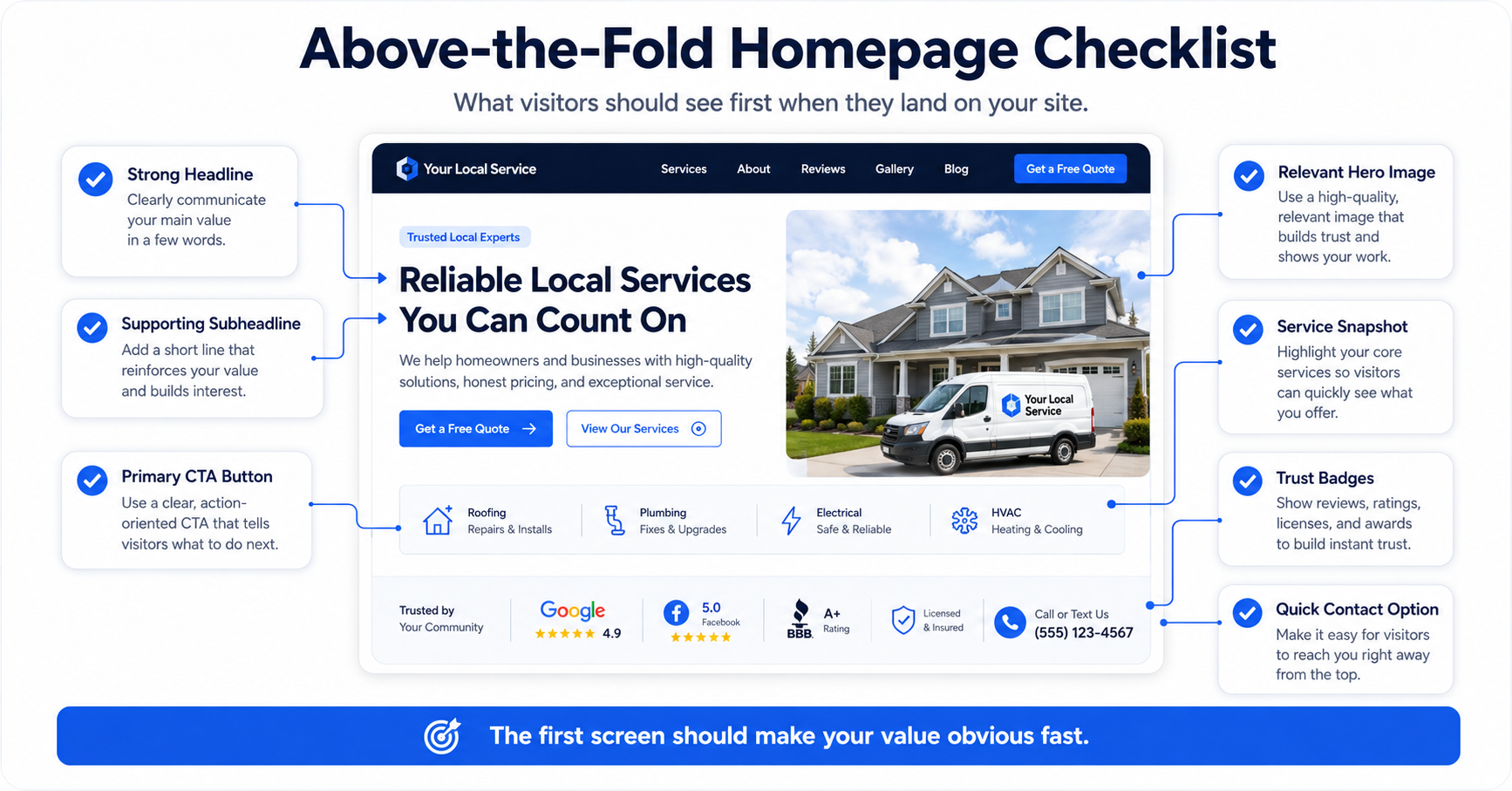
The hero section is the first section at the top of your homepage. It usually includes the main headline, supporting sentence, call-to-action button, and a visual.
This section is important because it shapes the visitor’s first impression. If the hero section is vague, the rest of the page has to work much harder.
A weak hero headline may say something like “Welcome to Our Business” or “We Provide Professional Solutions.” These phrases sound safe, but they do not give visitors enough information.
A stronger headline is more specific. For example, a website design business could say, “Professional Websites That Help Small Businesses Get More Enquiries.” A contractor could say, “Reliable Renovation and Repair Services for Homes and Businesses in Klang Valley.” A clinic could say, “Family Healthcare Services With Easy Appointment Booking.” A coach could say, “Business Coaching for Entrepreneurs Who Need Clearer Growth Direction.”
The supporting sentence should explain the offer in simple language. It should expand on the headline and help the visitor understand what makes your business useful.
The call-to-action button should be visible. It should not say something weak like “Learn More” unless that is truly the best next step. For lead generation, stronger CTAs include “Request a Quote,” “Book a Free Consultation,” “Get a Free Website Audit,” “Check Availability,” or “WhatsApp Us.”
The hero section does not need to explain everything. Its job is to make the visitor feel that they are in the right place and give them a reason to keep reading.
Explain the Problem You Solve
After the hero section, your homepage should show that you understand the customer’s problem.
Many businesses jump straight into talking about themselves. They say how long they have been operating, what services they provide, and why they are professional. This information matters, but visitors first want to know whether you understand their situation.
For example, a website design business can explain that many small business websites look professional but fail to generate enquiries because the message is unclear, the pages are not structured properly, and visitors do not know what to do next.
A contractor can explain that homeowners often struggle to find reliable service providers who communicate clearly, show up on time, and provide transparent quotations.
A beauty salon can explain that customers want treatments that feel professional, comfortable, and suitable for their needs, but they may feel unsure which service to choose.
A consultant can explain that business owners often know they need to grow but do not know which part of the business is holding them back.
This section helps visitors feel understood. When people feel that you understand the problem, they are more likely to trust your solution.
The problem section should not be overly negative. It should simply describe the reality your customers face and lead naturally into how your business helps.
Present Your Solution Clearly
Once you have explained the problem, your homepage should present your solution.
This is where you describe what your business does in a way that connects directly to the customer’s need. Avoid vague language. Instead of saying you offer “quality solutions,” explain the practical outcome.
For example, a website service provider can say that it builds conversion-focused websites designed to help small businesses look credible, explain their services clearly, and turn visitors into enquiries.
A clinic can say that it provides accessible medical care with clear appointment options, practical health guidance, and convenient patient support.
A contractor can say that it helps homeowners and businesses handle renovation, repair, and maintenance work with a clear quotation process and reliable communication.
The solution section should make your offer feel simple. Visitors should understand what you provide and why it matters.
This is also where you can introduce your main positioning. If your business is affordable, fast, premium, specialist, local, family-friendly, conversion-focused, or service-driven, this message should appear clearly.
A homepage that explains the solution well helps visitors move from confusion to clarity.
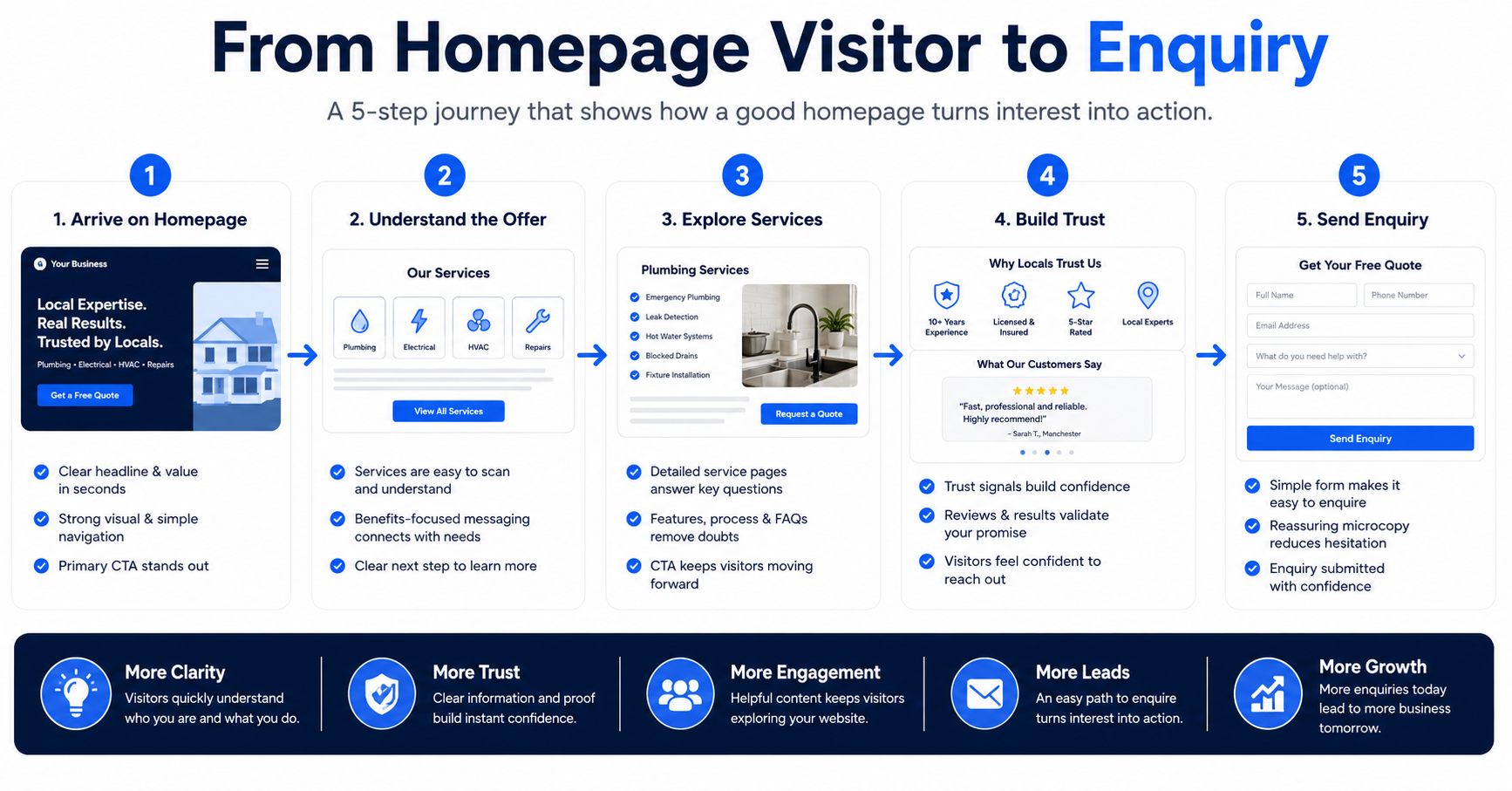
Show Your Main Services
Your homepage should include a section that introduces your main services.
This section should not be too long, but it should be clear enough for visitors to understand what you offer. Each service should have a short description and, where possible, link to a dedicated service page.
For example, a website design business may feature Website-as-a-Service, custom website design, landing pages, website redesign, local SEO pages, and sales funnel websites.
A contractor may feature renovation, plumbing, electrical work, painting, waterproofing, and maintenance.
A clinic may feature health screening, consultation, vaccination, women’s health, child healthcare, and minor procedures.
A beauty salon may feature facial treatments, hair services, manicure, spa treatments, eyebrow services, and bridal makeup.
The homepage service section should act as a guide. It should help visitors choose the service that matches their need. It should not force every detail into one page.
This is important for SEO because the homepage can internally link to your service pages. It is also important for GEO because clear service descriptions help AI search engines understand what your business offers.
A strong homepage gives a clear overview, while the deeper service pages provide more detail.
Explain Who You Help
A homepage should make the target audience clear.
Many small businesses are afraid to be specific because they do not want to lose potential customers. But if your website speaks too generally, it may not connect strongly with anyone.
For example, if you provide website design, you may serve small business owners, clinics, beauty salons, contractors, consultants, coaches, and local service businesses. Saying this clearly helps the right visitors recognize themselves.
If you are a contractor, you may help homeowners, landlords, property investors, offices, shops, or commercial spaces. If you are a clinic, you may help families, working adults, children, women, or specific patient groups. If you are a coach, you may help business owners, managers, professionals, or entrepreneurs.
This section does not need to exclude everyone else. It simply helps visitors understand whether your service is relevant to them.
When a visitor sees their business type, situation, or problem mentioned on your homepage, they are more likely to continue reading.
For GEO, this also helps AI search engines understand your audience. A website that clearly states who it helps is easier to classify and summarize.
Add Trust Signals Early
Trust signals should appear early on the homepage, not only near the bottom.
Visitors make quick judgments. If they do not trust your website, they may leave before reading your services in detail.
Trust signals can include testimonials, customer reviews, portfolio examples, client logos, case studies, years of experience, certifications, awards, business location, team photos, or clear process information.
For a website designer, portfolio examples and client results are powerful. For a contractor, real project photos and customer reviews matter. For a clinic, practitioner information, location, and patient reviews help build confidence. For a consultant, case studies, testimonials, and thought leadership content can support authority.
Trust signals should feel real and specific. Generic claims like “trusted by many customers” are weaker than actual proof.
If you do not yet have many testimonials, you can still build trust through clarity. Explain your process. Show your work. Use real business information. Make the website feel complete and professional.
A homepage should reassure visitors as they move toward enquiry.
Include a Short About Section
Your homepage should include a short about section, but it should not become a long company history.
The about section should answer why your business exists, what makes your approach different, and why customers can trust you. It should give enough personality and credibility without pulling the visitor away from the main goal.
For example, a website designer can explain that the business helps small businesses launch professional, conversion-focused websites without high agency fees or confusing DIY builders.
A contractor can explain that the business focuses on clear communication, practical workmanship, and reliable service for local homes and businesses.
A coach or consultant can explain the background and approach behind the service.
The homepage about section can link to a full about page for visitors who want more detail.
This section is useful because people often want to know who is behind the business before they enquire. However, the homepage should still stay customer-focused. The about section should connect your story to the customer’s benefit.
Explain Your Process
A process section is one of the most useful homepage sections for service businesses.
Customers often hesitate because they do not know what happens after they contact you. A simple process section can reduce this uncertainty.
For example, a website design process may include discovery, website structure planning, design and content setup, review, launch, and ongoing support.
A contractor process may include enquiry, photo or site review, quotation, confirmation, work scheduling, completion, and follow-up.
A clinic process may include appointment booking, consultation, treatment or service, and follow-up guidance.
A consultant process may include discovery call, problem review, strategy session, implementation plan, and support.
The process section makes your business feel more organized. It also helps visitors understand that there is a clear path from enquiry to result.
This is especially useful for high-trust services. When people know what to expect, they are more likely to take action.
For SEO and GEO, a process section gives search engines and AI tools more context about how your service works.
Use Testimonials That Support the Decision
Testimonials are powerful because they show that other people have already trusted your business.
A homepage should include a few strong testimonials rather than hiding all reviews on a separate page. These testimonials should be placed near service sections, process sections, or calls to action.
The best testimonials are specific. A testimonial that says “great service” is useful, but one that explains what the customer liked is more persuasive.
For example, a customer might say that the website helped them explain their services more clearly, that the contractor communicated well throughout the project, or that the consultant helped them identify the next step in their business.
Specific testimonials help future customers imagine their own experience.
If you have reviews from Google, Facebook, WhatsApp, email, or previous clients, select the ones that best support your positioning.
A homepage with good testimonials feels more credible and less like self-promotion.
Show Portfolio, Projects, or Examples
If your business depends on visible results, your homepage should include examples.
For website designers, this may be website screenshots or portfolio links. For contractors, it may be project photos. For salons, it may be treatment environment or work examples. For consultants, it may be case studies or client outcomes. For trainers, it may be workshop photos or program examples.
Examples help visitors trust your capability. They also make your business feel more real.
A homepage does not need to show every project. It can feature selected examples and link to a full portfolio or case study page.
The examples should match the type of customers you want to attract. If you want to serve clinics, show clinic-related work when available. If you want to attract local service businesses, show examples that look relevant to them.
Portfolio sections are useful for conversion because they give visitors evidence. They are also useful for SEO and GEO because they add context about your expertise and service category.
Include Service Area or Location Information
If your business serves a specific location, your homepage should make that clear.
Local customers want to know whether your business is relevant to them. If you serve Kuala Lumpur, Selangor, Petaling Jaya, Shah Alam, Subang Jaya, Klang Valley, Penang, Johor Bahru, or other areas, mention this naturally.
For a physical business, include your address, map, opening hours, and nearby area information where useful. For a service-area business, explain where you provide services. For an online service business, you can mention whether you serve clients across Malaysia or specific markets.
Location information supports local SEO. It helps search engines understand where your business operates. It also helps customers decide whether to contact you.
Do not stuff location names into every sentence. Use them naturally where they help the visitor.
For GEO, clear location information also helps AI search engines understand your market and service area.
Add a Strong Call-to-Action Section
Your homepage should include a strong call-to-action section before the end.
This section should remind visitors what to do next and why they should act. It should not be vague.
Instead of ending with only “Contact Us,” use a CTA that matches your offer. For example, “Request a Free Website Growth Audit,” “Get a Quote for Your Project,” “Book an Appointment,” “Check Available Slots,” or “Discuss Your Business Website.”
The CTA section should include a short sentence that reinforces the benefit. For example, a website design business can say that the audit helps identify why the website is not generating enquiries and what can be improved.
If WhatsApp is your main enquiry channel, include a WhatsApp button. If booking is the goal, include a booking link. If quote requests are the goal, include a simple form.
The CTA should feel like the natural next step after everything the visitor has read.
A homepage without a strong CTA may inform visitors but fail to convert them.
Add FAQs to Support SEO and GEO
FAQs are useful on a homepage because they answer common questions and reduce hesitation.
For small businesses, homepage FAQs may address pricing, process, timeline, service suitability, location, support, booking, or what happens after enquiry.
For example, a website design homepage can answer questions about website cost, monthly website plans, project timeline, website redesign, SEO, and whether the service is suitable for small businesses.
A contractor homepage can answer questions about quotes, service areas, site visits, project timelines, and emergency support.
A clinic homepage can answer questions about appointments, opening hours, walk-ins, services, and location.
FAQs are useful for SEO because they match question-based searches. They are useful for GEO because AI search engines can easily understand direct question-and-answer content.
The FAQs should be written naturally. Avoid adding questions only for keywords. Each answer should help the visitor make a better decision.
Make the Homepage Mobile-Friendly
A small business homepage must work well on mobile.
Many visitors will come from their phones. They may arrive from Google, social media, ads, WhatsApp links, or referrals. If the homepage is hard to read or slow to load on mobile, you may lose enquiries.
Mobile-friendly design means the text is readable, buttons are easy to tap, sections are not crowded, images load properly, and the CTA is easy to find.
The homepage should be easy to scan. Visitors should quickly understand the main message, services, proof, and next step without feeling overwhelmed.
If you use a WhatsApp button, make sure it does not block important content. If you use forms, make sure they are simple to complete on a phone.
Mobile experience is not a design detail. It directly affects conversion.
A homepage that looks good on desktop but fails on mobile is not ready for real customers.
Keep the Homepage Focused
A homepage should not try to say everything.
Many small business owners want to put every detail on the homepage because they are afraid visitors will miss something. But too much information can create confusion.
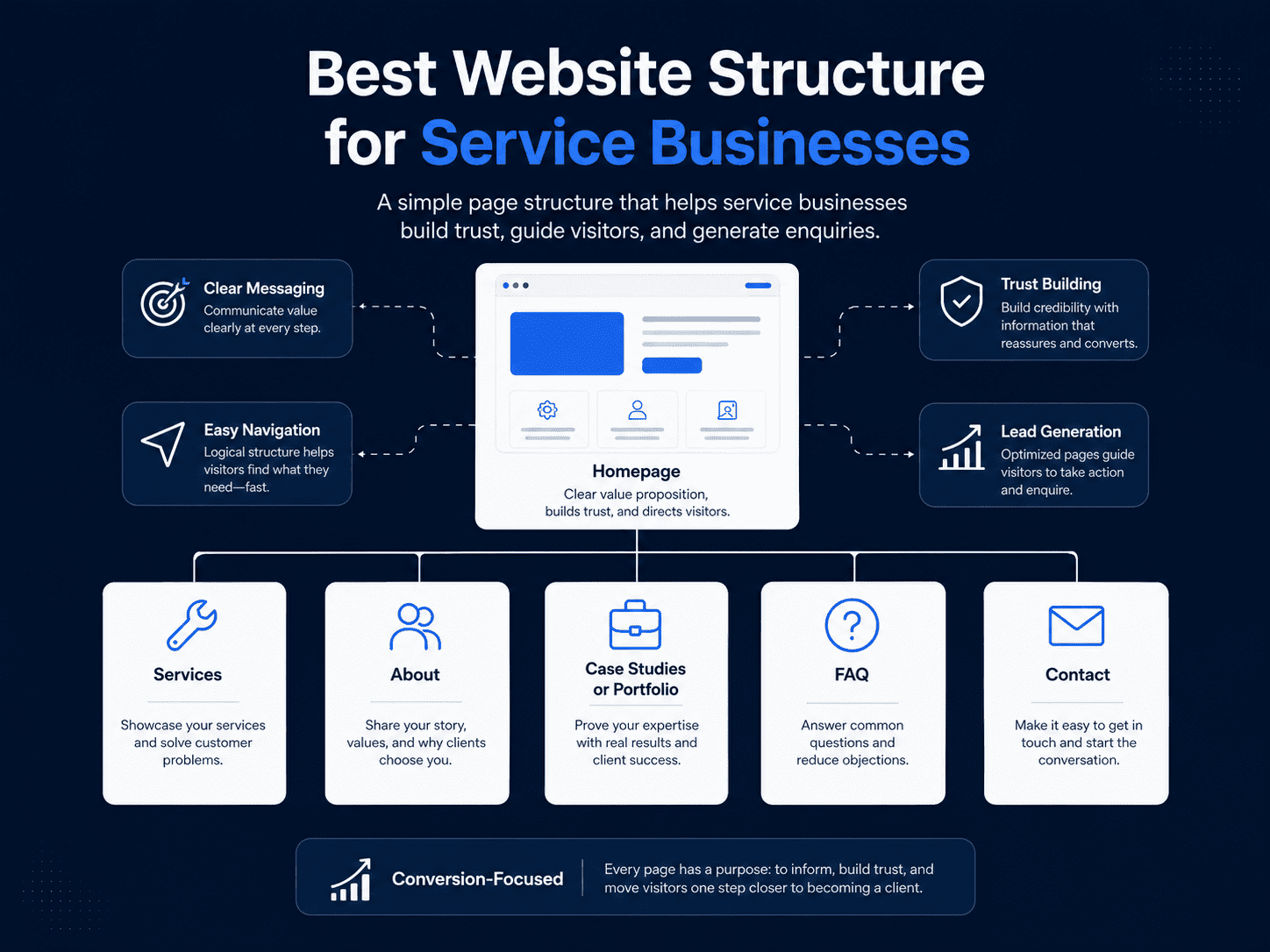
The homepage should provide a clear overview and guide visitors to deeper pages. It should introduce the business, explain the main offer, show key services, build trust, and create a clear path to enquiry.
Detailed information can live on service pages, blog posts, case studies, pricing pages, FAQs, or landing pages.
A focused homepage is easier to read and more likely to convert.
Before adding any section, ask whether it helps the visitor understand, trust, or take action. If it does not, it may not belong on the homepage.
Good homepage structure is not about adding more sections. It is about adding the right sections in the right order.
What Makes a Homepage SEO-Friendly?
An SEO-friendly homepage has a clear topic, strong page title, natural keyword usage, proper heading structure, internal links, fast loading speed, mobile-friendly design, and helpful content.
For small businesses, the homepage should usually target your main business category and location where relevant. For example, a website designer may target website design for small businesses in Malaysia. A contractor may target renovation and repair services in Klang Valley. A clinic may target family clinic services in a specific area.
The homepage should link to your most important service pages. This helps search engines understand your website structure and helps visitors find more detailed information.
The content should be specific enough for search engines to understand your business, but not so overloaded with keywords that it feels unnatural.
SEO works best when the homepage is clear, useful, and connected to the rest of the website.
What Makes a Homepage GEO-Friendly?
A GEO-friendly homepage is easy for AI search engines to understand and summarize.
This means your homepage should clearly state what your business does, who it helps, where it operates, what services it offers, how the process works, what proof you have, and how customers can contact you.
AI search engines often look for clear answers and structured information. If your homepage is vague, filled with generic marketing phrases, or missing important details, it becomes harder for AI tools to understand your business.
A GEO-friendly homepage should include a quick answer, clear service descriptions, FAQs, location information, and direct explanations.
This does not mean your content should sound robotic. It should still feel natural and human. The goal is clarity.
When your homepage is clear enough for AI to understand, it is usually clearer for customers too.
Common Homepage Mistakes
One common homepage mistake is using a vague headline. If the headline does not explain the business clearly, visitors may leave quickly.
Another mistake is making the homepage too much about the business and not enough about the customer. Visitors want to know how you can help them, not only how long you have been around.
Some websites hide the call to action. The visitor may read the page but still not know what to do next.
Another mistake is having too many services listed without explanation. If visitors cannot understand what is relevant to them, they may feel confused.
Poor mobile design is also a major issue. A homepage that looks attractive on desktop but feels cramped on mobile can lose leads.
Some homepages lack trust signals. They make claims but do not show proof.
A good homepage avoids these mistakes by being clear, focused, trustworthy, and easy to act on.
Recommended Small Business Homepage Structure
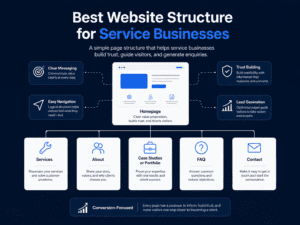
A strong small business homepage can follow a simple structure.
Start with a clear hero section that explains what you do, who you help, and what action visitors should take. Then describe the problem your customers face and how your business solves it.
After that, introduce your main services with short explanations and links to service pages. Include a section that explains who you help, especially if you serve specific industries or customer types.
Add trust signals such as testimonials, reviews, portfolio examples, case studies, or business credentials. Include a short about section that explains your approach. Add a process section so visitors know what happens after they enquire.
If location matters, include service area or branch information. Add FAQs to answer common questions. End with a strong CTA section that invites visitors to take the next step.
This structure works because it follows the natural decision-making journey. Visitors first need clarity, then relevance, then trust, then action.
Final Thoughts
A small business homepage should not be treated as a simple welcome page. It should be designed as a clear path from first impression to enquiry.
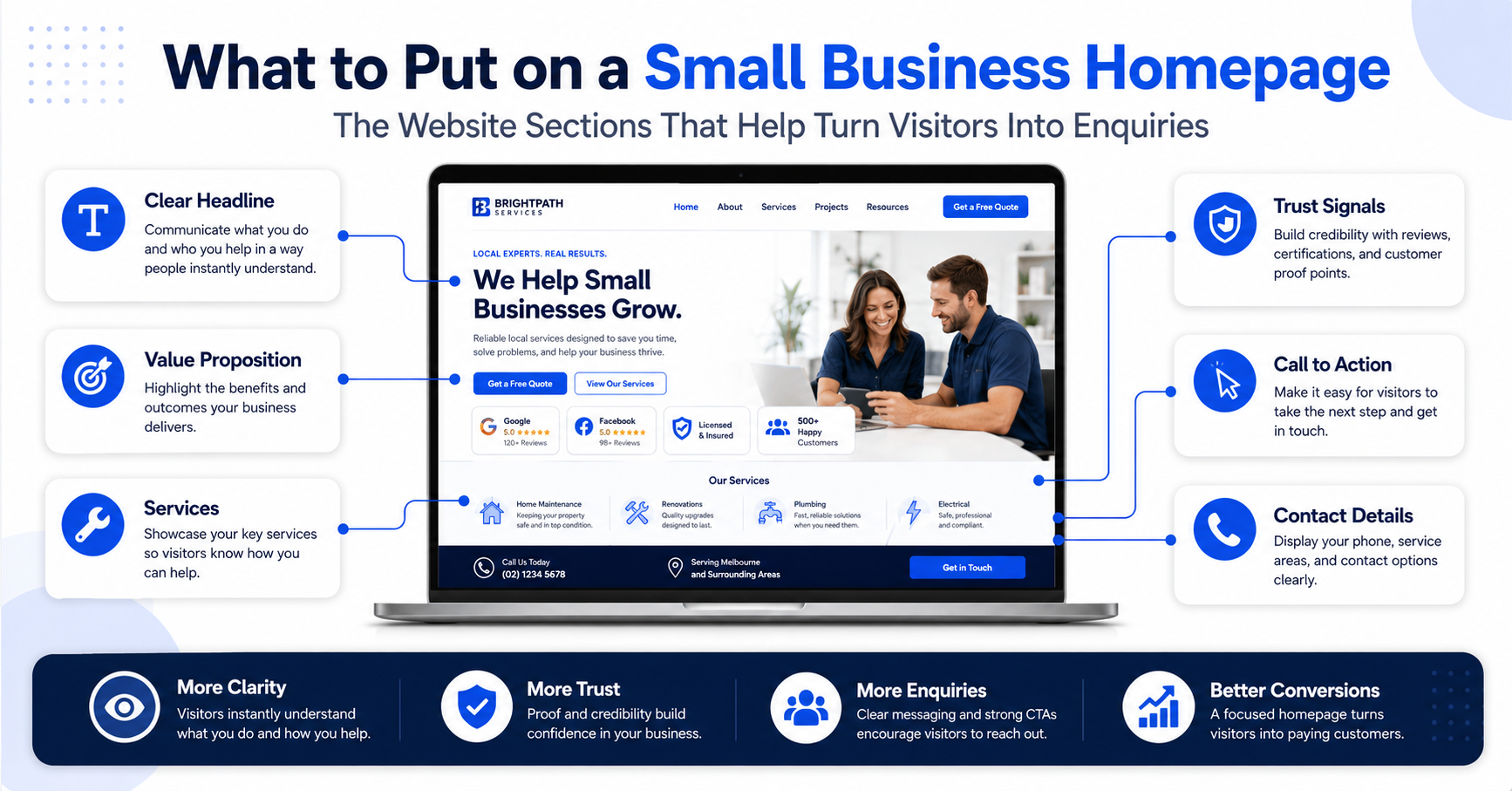
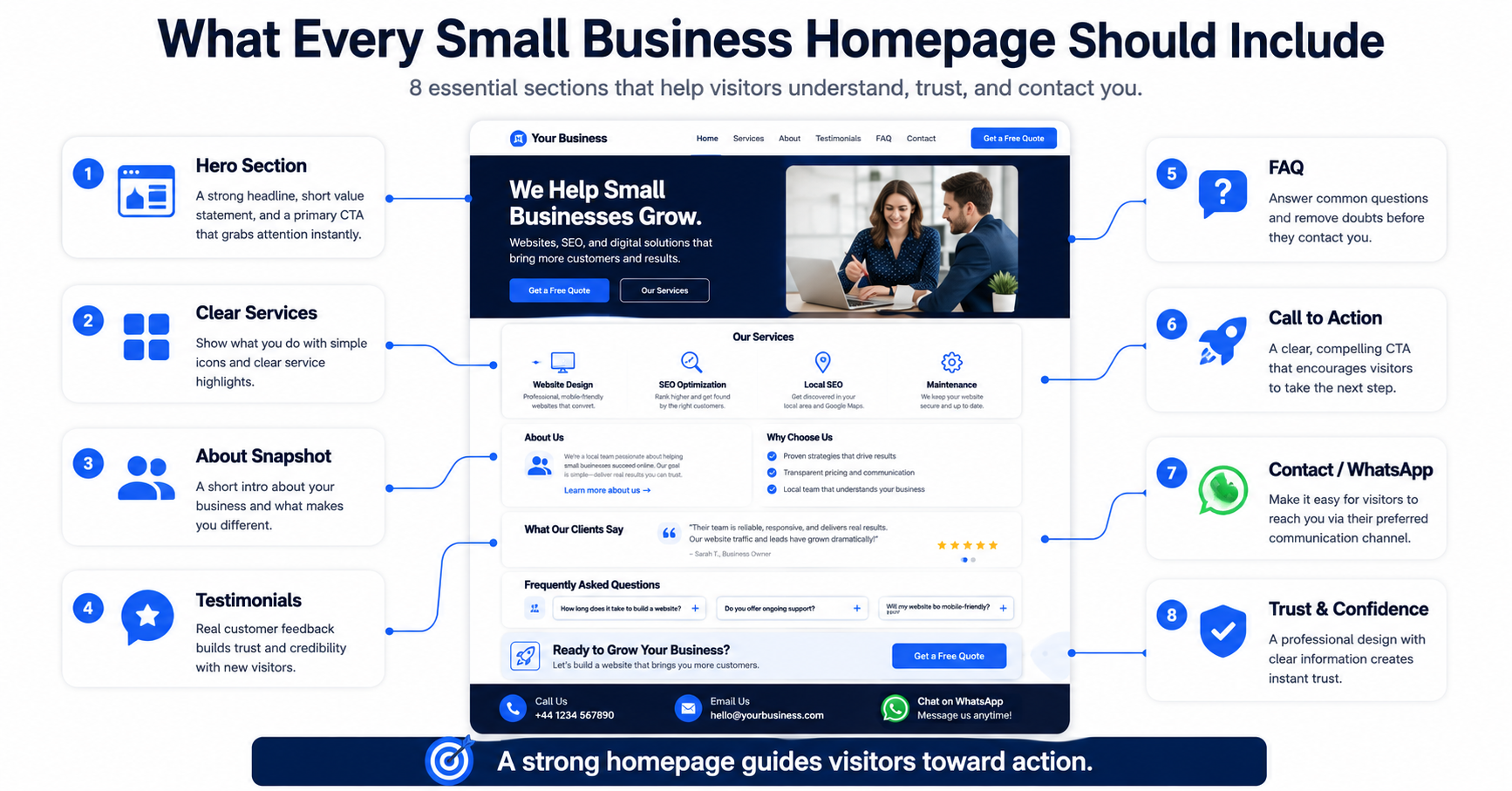
The best homepage explains what your business does, who it helps, what problem it solves, why visitors should trust you, and what they should do next. It should include a strong hero section, service overview, problem-and-solution message, trust signals, testimonials, process explanation, location information, FAQs, and a clear call to action.
For SEO, your homepage should help search engines understand your business and connect visitors to important service pages. For GEO, it should provide clear, structured information that AI search engines can understand and summarize.
If your homepage is vague, outdated, cluttered, or weak on mobile, it may be costing you enquiries. A better homepage can help your business look more credible, communicate more clearly, and turn more visitors into leads.
Need a Homepage That Turns Visitors Into Enquiries?
At Bennie Tay, we help small businesses build professional, conversion-focused websites designed to attract visitors, explain services clearly, and turn more traffic into enquiries.
Whether you need a new homepage, full website redesign, Website-as-a-Service plan, landing page, local SEO structure, or website copywriting, the goal is simple: create a website that helps customers understand your business and contact you with confidence.
Request a Free Website Growth Audit to find out how your homepage can be improved for SEO, AI search visibility, and lead generation.
FAQ
What should I put on a small business homepage?
A small business homepage should include a clear headline, service overview, customer problem, business solution, trust signals, testimonials, process section, location information, FAQs, and a strong call to action.
What is the most important part of a homepage?
The hero section is one of the most important parts because it creates the first impression. It should clearly explain what the business does, who it helps, and what visitors should do next.
Should my homepage include all my services?
Your homepage should include an overview of your main services, but detailed information should be placed on individual service pages. This keeps the homepage focused while still guiding visitors to the right page.
How long should a small business homepage be?
A homepage should be long enough to explain the business clearly, build trust, and guide visitors to take action. It does not need to include every detail, but it should answer the most important customer questions.
Should my homepage have FAQs?
Yes. FAQs can help answer common questions, reduce hesitation, support SEO, and make your homepage easier for AI search engines to understand.
How can my homepage get more enquiries?
Your homepage can get more enquiries by using clear messaging, strong calls to action, trust signals, testimonials, service-specific sections, mobile-friendly design, and easy contact options such as WhatsApp or enquiry forms.
What makes a homepage SEO-friendly?
A homepage is SEO-friendly when it has a clear keyword focus, proper heading structure, useful content, internal links, optimized images, fast loading speed, and mobile-friendly design.
What makes a homepage GEO-friendly?
A homepage is GEO-friendly when it clearly explains the business, services, audience, location, process, FAQs, and contact options in a way that AI search engines can understand and summarize.
Should I put my location on my homepage?
Yes, if your business serves a specific city, area, or region. Location information helps local customers understand whether your business is relevant and supports local SEO.
Is a homepage enough for a small business website?
A homepage alone may be enough for a very simple online presence, but most small businesses benefit from additional service pages, about page, contact page, testimonials, blog content, and local SEO pages