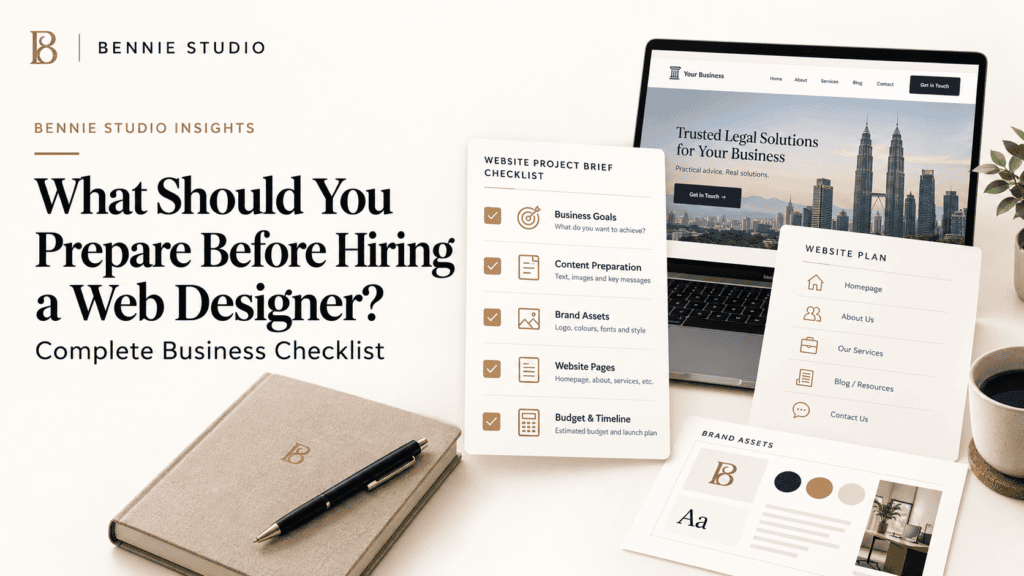
Hiring a web designer is easier when you know what you want.
Unfortunately, many website projects start like this:
“We need a professional website. Can you send us a quotation?”
The designer asks what pages are needed.
Nobody is sure.
They ask who the target customer is.
The answer is “everyone.”
They ask for website content.
Someone says the company profile should contain most of it.
Then three weeks later, the project is waiting for photographs, service descriptions, pricing, approvals and somebody’s forgotten login details.
This is avoidable.
You do not need to prepare a complete website before hiring a web designer. That would rather defeat the purpose of hiring one.
But preparing the right business information before the project starts can make the process faster, clearer and much more productive.
So before requesting a website quotation, here is what I recommend preparing.
Quick Website Preparation Checklist
Before speaking to a web designer, gather:
- business goals
- target customers
- main services or products
- desired customer action
- required pages
- company information
- service descriptions
- branding assets
- photographs
- testimonials
- competitor websites
- websites you like
- required features
- domain and hosting details
- SEO priorities
- budget range
- desired launch date
- decision-makers
- content responsibilities
You do not need perfect answers for everything.
The purpose is to give the designer enough context to recommend the right website instead of simply guessing what you need.
1. Start With the Business Goal
Before talking about colours, fonts or animations, decide what the website is supposed to accomplish.
For a service business, the main goal may be:
- generate quotation requests
- get WhatsApp enquiries
- book consultations
- generate phone calls
- build credibility
- support referrals
- rank for local searches
For an eCommerce business, the goal may be:
- sell products
- increase average order value
- build an email list
- support repeat purchases
For a corporate website, the objective may include:
- company credibility
- investor information
- recruitment
- partner enquiries
Choose one primary outcome.
You can have secondary objectives, but the website needs a clear priority.
For example:
Primary goal: Generate qualified quotation requests from Malaysian SMEs.
That gives the designer something concrete to build around.
Compare it with:
Goal: Make the company look professional.
Professional is expected.
It does not tell anyone what the website should actually do.
2. Define Your Target Customer
A website becomes much easier to design when you know who is reading it.
Prepare a simple description of your ideal customer.
You do not need an elaborate 27-page buyer persona involving their favourite coffee and childhood aspirations.
Useful information might include:
- business or consumer
- industry
- company size
- location
- typical problem
- budget level
- decision-maker
- what matters most to them
For example:
We mainly serve Malaysian SMEs with 10–100 employees that need outsourced accounting and tax support. The buyer is usually the founder, finance manager or director.
Now the website can speak directly to that audience.
This affects:
- copywriting
- design
- services emphasised
- trust signals
- calls to action
A website for first-time homeowners should not communicate the same way as a website aimed at procurement managers in multinational companies.
3. List Your Main Services
Write down everything the business currently offers.
Then identify which services matter most.
Do not simply give your designer a list of 20 services and say:
They are all equally important.
Usually, they are not.
Think about:
- most profitable services
- most frequently requested services
- strategic growth services
- services customers actively search for
For example, an accounting firm may offer:
- bookkeeping
- tax
- audit
- payroll
- company secretarial
- advisory
If bookkeeping and tax generate most new clients, they may deserve more prominent website treatment.
Important services may also need dedicated pages.
This helps both customer clarity and SEO.
4. Decide What You Want Visitors to Do
Every website should have a clear next step.
What should someone do after reading about your business?
Examples include:
Request a Quote
Book a Consultation
WhatsApp Us
Call Our Team
Buy Now
Book a Trial Class
Check Availability
Try not to use six equally prominent actions.
Visitors should know what the main action is.
For example, a renovation company might use:
Primary CTA: Request a Renovation Quote
Secondary CTA: WhatsApp Us
This gives the designer a clear conversion path to build throughout the website.
5. Prepare a Rough Page List
You do not need to design the sitemap yourself.
But prepare an initial list.
A typical small-business website might include:
- Home
- About
- Services
- Service 1
- Service 2
- Service 3
- Portfolio
- Testimonials
- FAQ
- Contact
Larger websites may include:
- Industries
- Locations
- Case Studies
- Resources
- Pricing
- Careers
- Team
If you already have a website, list the pages you want to:
- keep
- remove
- rewrite
- merge
- add
This gives your web designer a much better starting point for estimating scope.
6. Gather Your Company Information
Prepare the basic facts.
This may include:
- company name
- registration details where needed
- address
- telephone
- opening hours
- service areas
- company background
- year established
- team information
- branch locations
Make sure this information is current.
If the website redesign is replacing an old site, do not automatically copy old details.
A surprisingly large number of business websites preserve obsolete contact information with admirable dedication.
Review everything.
7. Prepare Service Information
You do not need polished website copy yet.
But give the designer or copywriter enough source material.
For each important service, answer:
What is it?
Who is it for?
What problem does it solve?
What is included?
How does the process work?
What makes your approach different?
What questions do customers usually ask?
This information is far more useful than:
Please refer to our brochure.
The brochure may still help, but direct answers give the copywriter better material to work with.
8. Collect Your Branding Assets
If you already have established branding, prepare:
- logo files
- brand colours
- font guidelines
- brand manual
- icon style
- photography guidelines
Try to provide high-quality logo files rather than screenshots copied from Facebook.
SVG, EPS, AI or high-resolution PNG files are usually much more useful than:
logo-final-final-v3-small.jpg
If you do not have a formal brand guide, that is fine.
Tell the designer what existing brand elements should remain.
9. Gather Real Photographs
Real photographs are particularly valuable for local and service businesses.
Prepare images of:
- team
- office
- premises
- completed projects
- products
- equipment
- classrooms
- facilities
- events
Organise them into folders where possible.
For example:
Team
Office
Projects
Products
This saves time later.
For businesses such as renovation, interior design, education, F&B or manufacturing, real photography can dramatically improve credibility.
If you do not have good images, discuss photography early.
Do not wait until the homepage is finished and then realise the only company photograph is a blurry team dinner from 2022.
10. Collect Testimonials and Proof
Prepare evidence that helps customers trust you.
This may include:
- customer testimonials
- Google reviews
- case studies
- project results
- certifications
- professional memberships
- awards
- media mentions
- client logos
Use only information you have permission to publish.
Specific proof is usually stronger than generic claims.
Compare:
We provide excellent service.
with:
More than 70% of our projects come from returning customers and referrals.
If the number is genuine, the second statement is much more meaningful.
11. Share Competitors
Give your web designer 3–5 competitors.
This is not so they can copy them.
It helps them understand:
- market expectations
- positioning
- services
- pricing presentation
- content depth
- customer journey
You can also explain:
What do competitors do well?
What do you want to do differently?
For example:
Competitor A explains services clearly, but the site feels too corporate. We want something more approachable.
That is useful direction.
12. Show Websites You Like
Choose a few websites you genuinely like.
They do not need to be competitors.
Explain what you like about each one.
For example:
I like the clean layout.
I like how they show case studies.
I like the large typography.
I like the simple menu.
Do not just send ten links with:
Something like these.
Designers cannot reliably combine ten completely different websites into one coherent design without producing a strange digital casserole.
Explain the specific elements you like.
13. List Required Features
Think beyond pages.
Do you need:
- WhatsApp integration
- booking system
- payment gateway
- eCommerce
- enquiry forms
- quotation calculator
- member login
- CRM integration
- multilingual content
- blog
- live chat
- newsletter signup
- downloadable files
Separate them into:
Must Have
Required for launch.
Nice to Have
Useful later.
This helps control scope and budget.
If everything is marked “must have,” the distinction has once again been bravely defeated.
14. Prepare Your Domain and Hosting Details
If you already own a domain, locate the account.
You may need:
- registrar
- login details
- DNS access
- hosting access
Do not casually send passwords through unprotected channels.
Instead, ask your provider how access should be shared securely.
If you have business email connected to the domain, tell the web designer.
Changes to hosting or DNS can affect email if handled incorrectly.
This should be known before launch.
15. Think About SEO Before the Website Is Built
If Google search matters to your business, mention it at the beginning.
Tell the designer:
- important services
- important locations
- target industries
- existing rankings
- old website URLs
- existing blog content
SEO can affect website structure.
For example, you may need dedicated pages for:
Landing Page Design
eCommerce Website Design
rather than one generic Services page.
If SEO is introduced only after the website is finished, you may need to restructure it.
Planning early is easier.
16. Set a Realistic Budget Range
You do not necessarily need to reveal every financial detail.
But having a budget range helps the provider recommend the right scope.
For example:
We are hoping to stay around RM5,000–RM8,000.
Now the designer can prioritise.
Without any guidance, you may receive proposals ranging from RM2,000 to RM20,000 because everyone is imagining a different project.
Budget does not simply determine quality.
It determines what should be included now and what may belong in Phase 2.
17. Decide Your Launch Deadline
Do you need the website live before:
- an event
- business launch
- campaign
- exhibition
- rebrand
- product launch
Tell the designer early.
Then work backward.
If your exhibition begins on October 1, telling the designer on September 25 that the website is “quite urgent” creates fewer scheduling miracles than people hope.
Also distinguish between:
Preferred date
and
Absolute deadline
This helps prioritise properly.
18. Identify the Decision-Maker
Someone needs final authority.
This is particularly important when several people are involved.
Decide:
- who provides feedback
- who approves copy
- who approves design
- who signs off the launch
Ideally, feedback should be consolidated.
Instead of the designer receiving:
Director prefers blue.
Marketing prefers green.
Sales says red converts better.
send one final decision.
Projects become much faster when there is a clear owner.
19. Decide Who Is Responsible for Content
Clarify whether:
- you write everything
- the designer writes it
- a copywriter is included
- you provide drafts and they edit them
Also decide who provides:
- images
- team profiles
- testimonials
- project details
- legal text
Do not assume “website design” automatically includes all content creation.
Get this clear in the quotation.
20. Prepare Customer FAQs
Ask your sales team:
What do customers ask before buying?
Common questions might include:
- How much does it cost?
- How long does it take?
- What is included?
- Do you serve my area?
- Is there a warranty?
- Can I cancel?
- How does payment work?
These questions are excellent website content.
They can become:
- FAQ sections
- service-page content
- blog posts
- sales objections handled before enquiry
The website should reduce repetitive uncertainty.
What You Do NOT Need to Prepare
You do not need:
A Finished Website Layout
That is what the designer is for.
Perfect Copy
Source information is often enough to start.
Every Future Feature
Focus on what the business needs now.
A Complete SEO Strategy
A professional can help develop it.
All the Technical Answers
You do not need to decide which hosting architecture or framework is best.
Describe the business need.
Let the technical solution follow.
The Ideal Website Brief
If you want to make the first conversation productive, your website brief can be surprisingly simple.
Include:
Business
What the company does.
Customers
Who you want to attract.
Goal
What you want visitors to do.
Services
Your most important offerings.
Pages
What you think the website needs.
Features
Required functionality.
Competitors
Who you compete with.
Style
Examples you like.
Budget
Your approximate investment range.
Timeline
Your desired launch date.
That is enough for a good web designer to start asking much better questions.
Frequently Asked Questions
What information does a web designer need from me?
Usually your business goals, services, target customers, company information, desired pages, branding, content, images, functionality and timeline.
Do I need to write all my website content?
Not necessarily.
Some web designers include copywriting while others require clients to provide content.
Confirm this before accepting the quotation.
Should I know exactly how many pages I need?
No.
A rough list is helpful, but a good web designer should also recommend a suitable website structure.
Should I prepare my logo before hiring a web designer?
If you already have branding, provide the logo and brand assets.
If not, ask whether branding is part of the website project or should be completed separately.
How much budget should I prepare?
The budget depends on scope.
A simple template website may cost much less than a custom website with strategy, copywriting, SEO and integrations.
Give providers a realistic range so they can recommend an appropriate solution.
What causes the biggest website project delays?
Missing content, slow approvals, changing requirements and unclear decision-making are among the most common causes.
Preparing materials and assigning one project owner can significantly reduce delays.
Better Preparation Creates a Better Website
You do not need to arrive at the first website meeting with every answer.
But the more clearly you understand:
your business
your customers
your services
your goal
your budget
the easier it becomes to build the right website.
A good web designer should still challenge assumptions, recommend improvements and help structure the project.
Your role is not to design the website for them.
Your role is to provide the business context they need to make good decisions.
At Bennie Studio, website projects begin with understanding the business, customer journey and desired outcome before design starts.
That helps avoid building a website around assumptions and makes the quotation, scope and final result much clearer.
Explore Custom Website Design →
Planning a website but not sure what scope you actually need?
Get a Website Project Review →