Your new website is finally live. The design looks good. The forms work. The team has approved the content. Someone has posted the link on social media.
And now?
This is where many business websites quietly lose momentum. A company spends weeks or months planning and building a new website, launches it, and then treats the project as complete. But launch day should really be the start of the website’s improvement cycle.
The first 90 days give you something you did not have before launch:
real visitor behaviour.
You can start seeing:
- which pages people visit
- where enquiries come from
- what visitors click
- which pages are ignored
- whether forms are working
- which search terms bring traffic
- where users leave the site
That information helps you improve the website based on evidence rather than guesses.
So what should you actually do during the first three months?
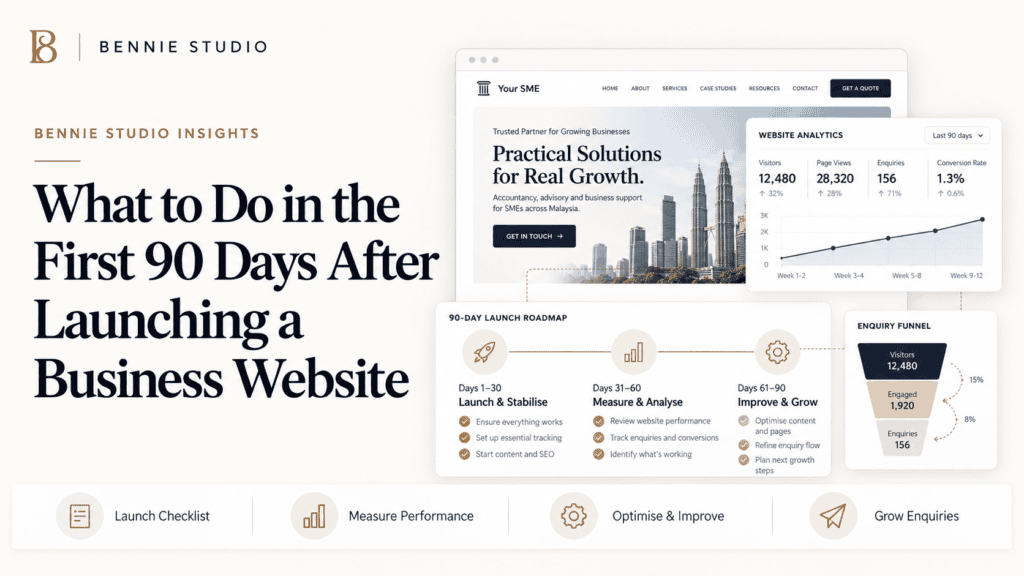
Here is a practical 90-day website launch plan for small businesses.
First: Don’t Expect the Website to Be Perfect on Day One
A website can be thoroughly reviewed before launch.
You can test the links.
Proofread the content.
Check mobile layouts.
Test the enquiry forms.
But you still do not know exactly how real customers will use it.
You may discover that:
- people miss an important service
- a CTA gets almost no clicks
- one page attracts far more traffic than expected
- visitors prefer WhatsApp to contact forms
- an important question is missing
- customers repeatedly ask something the website should explain
That does not mean the launch failed.
It means you now have data.
The goal of the first 90 days is not to redesign everything.
It is to identify what is working, fix what is not, and gradually make the site more useful.
Days 1–7: Make Sure Everything Actually Works
The first week should focus on reliability.
You are checking whether the live website behaves the way it did during testing.
Test Every Important Enquiry Path
Do not assume the form works simply because it worked during development.
Submit it yourself.
Check:
- contact forms
- quotation forms
- booking forms
- newsletter forms
- WhatsApp buttons
- phone links
- email links
Make sure the enquiry reaches the correct person.
Then test what the customer sees afterward.
Does the form display a clear confirmation message?
Does the visitor know what will happen next?
For example:
Thanks for your enquiry. We normally respond within one business day.
That is much better than:
Form successfully submitted.
The technical task has succeeded.
The human still wants to know what happens next.
Check the Website on Real Phones
Developers and designers usually test websites using browser tools.
That is useful.
But also open the live website on actual devices.
Check:
- iPhone
- Android
- tablet if relevant
- different screen sizes
Look specifically at:
- navigation
- buttons
- forms
- popups
- WhatsApp links
- tables
- images
- text size
Ask someone who was not involved in building the site to use it.
People involved in the project already know where everything is.
A new visitor does not.
Check Your Core Business Information
Review the basic information again:
- phone number
- address
- opening hours
- service areas
- company name
- social links
It sounds obvious.
And yet newly launched websites occasionally contain an old telephone number because it was copied from the previous site.
Technology remains remarkably capable of preserving yesterday’s mistakes in prettier layouts.
Days 8–30: Start Measuring
Once the basic website is stable, start understanding how people use it.
You do not need 50 dashboards.
You need a few useful measurements.
Track Website Traffic
At minimum, understand:
- number of visitors
- traffic sources
- most visited pages
- device types
- locations where relevant
Do not panic over small numbers during the first month.
If the website is new, traffic may initially be limited.
The purpose is to create a baseline.
You want to know where you are starting.
Track Enquiries
This is more important than simply tracking visitors.
If the purpose of the website is lead generation, monitor:
- contact form submissions
- quotation requests
- calls
- bookings
- WhatsApp clicks
- email enquiries
If possible, ask new leads:
How did you hear about us?
A simple question like this can help connect website activity to actual business outcomes.
The number that matters is not:
We had 1,500 visitors.
The better question is:
Did those visitors create useful business opportunities?
Connect Google Search Console
Google Search Console can help you understand how your website appears in Google search.
Over time, you can see:
- search queries
- impressions
- clicks
- ranking positions
- indexed pages
- technical issues
During the first few weeks, do not obsess over daily ranking movement.
SEO does not usually behave like a slot machine where refreshing the dashboard eventually causes a jackpot.
Look for patterns.
Which pages are starting to get impressions?
Which searches are appearing?
Are there topics worth strengthening?
This information becomes more useful as more data accumulates.
Check That Important Pages Are Indexed
Make sure Google can discover your important pages.
Your priority pages may include:
- homepage
- main services
- locations
- important industry pages
- key blog posts
If an important page is not appearing in search after some time, investigate.
Possible causes can include:
- indexing settings
- technical issues
- weak internal linking
- duplicate pages
- low-value content
You do not need every page indexed.
You do need your commercially important pages accessible and understandable.
Days 31–60: Improve the Customer Journey
By the second month, you should start looking beyond technical performance.
Ask:
Is the website helping visitors make a decision?
This is where small changes can produce meaningful improvements.
Review the Homepage
Look at your homepage with fresh eyes.
Can a new visitor quickly understand:
- what you offer
- who you serve
- what makes you different
- where you operate
- what they should do next
If customers repeatedly ask:
Do you provide [service]?
despite that service being important to the business, your homepage may not be communicating it clearly enough.
Do not automatically add more content.
Sometimes the answer is better hierarchy.
Review Your Main Service Pages
Your most important service pages should do more than describe features.
They should help visitors decide.
Ask:
- Is the service clearly explained?
- Who is it for?
- What problem does it solve?
- What does the process look like?
- Is there proof?
- Are common questions answered?
- Is the CTA obvious?
If visitors are landing on a service page and immediately leaving, investigate why.
The answer is not always “bad design.”
It could be:
- wrong traffic
- unclear offer
- weak copy
- missing pricing information
- insufficient trust
- slow loading
- poor mobile layout
Treat the behaviour as a clue.
Add Questions Customers Keep Asking
This is one of the easiest ways to improve a website.
During the first two months, ask your sales or customer-service team:
What are customers repeatedly asking us?
Maybe they ask:
- How much does it cost?
- Do you serve my area?
- How long does it take?
- What is included?
- Can I book a trial?
- Do you offer support afterward?
If the same question appears repeatedly, consider answering it on the relevant page.
Your website should gradually absorb repetitive pre-sales questions.
That makes the customer journey easier and reduces unnecessary back-and-forth for your team.
Improve Your Calls to Action
Check whether your CTAs match the stage of the visitor.
Instead of vague buttons such as:
Learn More
use clearer actions where appropriate:
Request a Quote
Book a Consultation
Check Availability
View Website Plans
WhatsApp Us
The visitor should know what happens when they click.
Also check where CTAs appear.
One button at the very bottom of a long page may not be enough.
Add calls to action naturally after important sections where a visitor may already be ready to proceed.
Days 61–90: Start Building Growth
By the third month, you should have enough information to begin improving traffic and conversion systematically.
Now the website becomes an active marketing asset.
Publish Useful Content
Do not publish blog posts simply to keep the blog “active.”
Choose topics that connect to:
- customer questions
- buying decisions
- services
- local searches
- industry problems
For example, an accounting firm might publish:
How Much Do Accounting Services Cost in Malaysia?
A tuition centre might publish:
How to Choose an SPM Tuition Centre
A renovation company might publish:
How Much Does Kitchen Renovation Cost in Malaysia?
These topics attract people whose questions are related to your services.
That creates a much more useful content strategy than publishing:
10 Motivational Quotes for Monday Business Success
unless, rather mysteriously, motivational quotations are your primary service.
Improve Internal Linking
As you add content, connect related pages.
For example:
A blog post about website maintenance should link to:
- managed website plans
- website redesign
- website pricing
- relevant supporting articles
A service-area article can link to:
- main service page
- relevant location pages
- customer case studies
Internal links help visitors continue exploring and help search engines understand how your content relates.
Do not leave every article isolated.
Build clusters.
Add More Proof
Your website should improve as your business generates new results.
During the first 90 days, collect:
- testimonials
- project examples
- case studies
- before-and-after examples
- customer feedback
Then add the strongest proof to appropriate pages.
You do not need to wait until you have 100 reviews.
One specific case study can be more persuasive than 20 generic claims about being “professional and reliable.”
For example:
Problem: Client’s old website generated very few enquiries.
Change: Simplified services, added clearer CTAs and improved WhatsApp access.
Result: Enquiry process became easier and more measurable.
Specific evidence helps potential customers understand what you actually do.
Review Search Queries
By the third month, Search Console may begin showing useful search patterns.
Look for:
Queries with impressions but few clicks
Your title or description may not be attractive enough, or your ranking may still be low.
Queries ranking near page one
These may represent opportunities to improve the relevant page.
Unexpected searches
Sometimes Google reveals customer questions you had not considered.
These can inspire:
- new articles
- FAQ sections
- service pages
- location pages
Let search data influence future content.
Do not build your entire strategy around keyword tools alone.
Actual customer behaviour is rather useful too.
Review Website Speed and Technical Health
Websites change after launch.
New images get added.
Plugins get installed.
Tracking scripts appear.
Performance can decline gradually.
By the end of the first 90 days, review:
- loading speed
- broken links
- software updates
- backups
- uptime
- mobile usability
- forms
- security
This becomes part of ongoing website maintenance.
A website that performed well on launch day is not guaranteed to remain that way indefinitely.
What Should You Measure After 90 Days?
Do not judge the website based on a single metric.
A useful small-business website scorecard could include:
| Metric | Question |
|---|---|
| Website traffic | Are the right people visiting? |
| Organic impressions | Is Google discovering the site? |
| Enquiries | Are visitors becoming leads? |
| Conversion rate | What percentage take action? |
| Top pages | What content attracts interest? |
| Traffic sources | Where do visitors come from? |
| Mobile performance | Does the site work well on phones? |
| Search queries | What problems are people searching for? |
| Leads by channel | Which channels generate useful prospects? |
You do not need to measure everything imaginable.
Measure what helps you make better decisions.
What Not to Do in the First 90 Days
Don’t Redesign Everything Immediately
You may dislike something after seeing it repeatedly.
That does not mean customers do.
Make changes because of evidence, feedback or a clear business reason.
Don’t Obsess Over Rankings Every Day
SEO takes time.
Focus on building useful pages and improving the site.
Don’t Add Features Just Because Competitors Have Them
A chatbot, calculator or animation should solve a problem.
Do not add it because another website has one.
Don’t Ignore Enquiries
If the website generates leads but nobody responds quickly, the website is not your biggest problem.
Fix the follow-up process too.
Don’t Stop Publishing and Improving
A website becomes more valuable when it accumulates useful content, proof and insights over time.
Launch is not the finish line.
A Simple 90-Day Website Plan
If you want the entire process simplified, use this.
Days 1–7: Test
- forms
- buttons
- mobile
- business information
- analytics
- backups
Days 8–30: Measure
- traffic
- enquiries
- search performance
- indexing
- customer questions
Days 31–60: Improve
- homepage messaging
- service pages
- CTAs
- FAQs
- trust signals
Days 61–90: Grow
- publish content
- improve SEO
- build internal links
- add case studies
- review conversion performance
Then repeat the cycle.
Measure → Learn → Improve → Grow.
That is how the website becomes better over time.
Frequently Asked Questions
How soon should I start SEO after launching a website?
Ideally, basic SEO should already be considered during the website build.
After launch, you can begin publishing useful content, improving pages and monitoring search performance immediately.
How long does it take a new website to appear on Google?
There is no fixed timeline.
Search engines need to discover, crawl and evaluate the website. The amount of competition, website authority, content quality and technical setup can all affect how quickly pages begin appearing for useful searches.
Should I change my website after launch?
Yes, when there is a good reason.
Website content, offers, proof and conversion paths should evolve as you learn what customers need.
How often should I update a business website?
There is no universal schedule.
Technical maintenance should happen regularly, while content changes should happen whenever the business, services, customer questions or marketing strategy change.
What should I track on a new website?
For most service businesses, start with traffic, search visibility, enquiries, contact-form submissions, calls and WhatsApp actions.
Do not track metrics simply because a dashboard offers them.
What if the website gets traffic but no enquiries?
Review whether the traffic is relevant and then assess your messaging, service pages, proof, pricing clarity, calls to action and contact process.
More traffic will not fix a weak customer journey.
A Business Website Should Improve After Launch
The first version of your website is based on research, planning and experience.
The next version can be based on something even more useful:
what real visitors actually do.
That is why the first 90 days matter.
Use them to make sure the website works, understand how customers interact with it, improve the important pages and begin building a repeatable growth process.
The businesses that get the most value from their websites are usually not the ones that launch the most impressive site.
They are the ones that keep improving it.
At Bennie Studio, managed websites are built around this principle. The goal is not simply to launch a website and hand over the login details. It is to keep the website maintained, updated and improving as the business grows.
Explore Managed Website Plans →
Already launched a website but unsure what to improve next?
Get a Free Website Growth Audit →
Next steps: view website design services, compare Malaysia website pricing, or browse website examples. If you want a tailored recommendation, generate a free website preview.