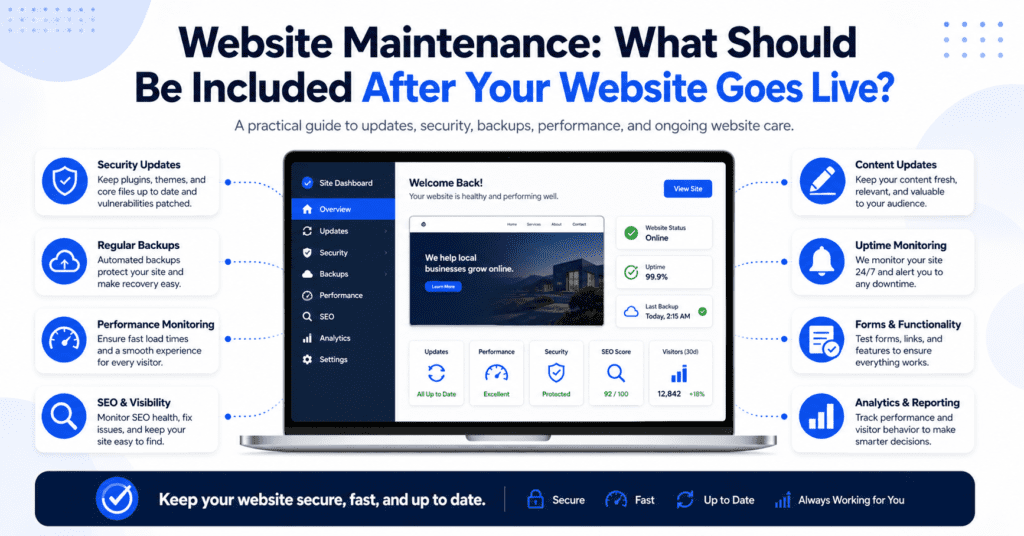
Launching a website is not the end of the process.
For many businesses, the website launch feels like the finish line. The design is approved, the pages are published, the domain is connected, and the website is finally live. But after that, the website still needs attention.
A website is not something you build once and forget.
Over time, your business information changes. Your services may change. Your prices may change. Your team may change. You may collect new testimonials, launch new offers, publish new content, update photos, or adjust your marketing direction.
At the same time, the technical side of the website also needs to be looked after. Software updates, security checks, backups, speed optimisation, broken links, form testing, and hosting issues can all affect how well your website works.
This is where website maintenance becomes important.
Website maintenance is the ongoing work required to keep your website secure, updated, accurate, fast, and useful. It helps prevent small issues from becoming bigger problems. It also keeps your website aligned with your business goals after launch.
A good website should not only look good on the day it goes live. It should continue to support your business months and years later.
Why Website Maintenance Matters
Many business owners only think about website maintenance when something breaks.
A contact form stops working. A page loads slowly. A plugin causes an error. The website design looks strange after an update. A customer says the website cannot be opened. A service page still shows outdated information.
By the time these problems are noticed, the website may already have lost enquiries or damaged trust.
Website maintenance helps reduce this risk.
It keeps the website healthy in the background so visitors can continue using it smoothly. It also makes sure your business information stays current and your website continues to reflect what your business actually offers.
For small businesses, this matters because your website is often one of the first places potential customers visit before contacting you. If the website looks outdated, loads slowly, has broken links, or shows wrong information, visitors may feel less confident.
A maintained website gives a better impression. It shows that your business is active, professional, and reliable.
Website maintenance is not only a technical task. It is part of keeping your business presence trustworthy online.
Website Maintenance Keeps Your Information Accurate
One of the simplest but most important parts of website maintenance is keeping your content accurate.
Business information can become outdated quickly. Your opening hours may change. Your phone number may be updated. Your team may grow. Your service list may change. Your pricing may be adjusted. Your business may move location. You may stop offering certain services or add new ones.
If your website does not reflect these changes, it can confuse customers.
For example, if a customer visits your website and sees an old promotion, they may ask for something that is no longer available. If your opening hours are wrong, they may contact you at the wrong time. If your service page is outdated, they may think you do not offer a service that you actually provide.
These small issues can create friction.
A website should make communication easier, not harder.
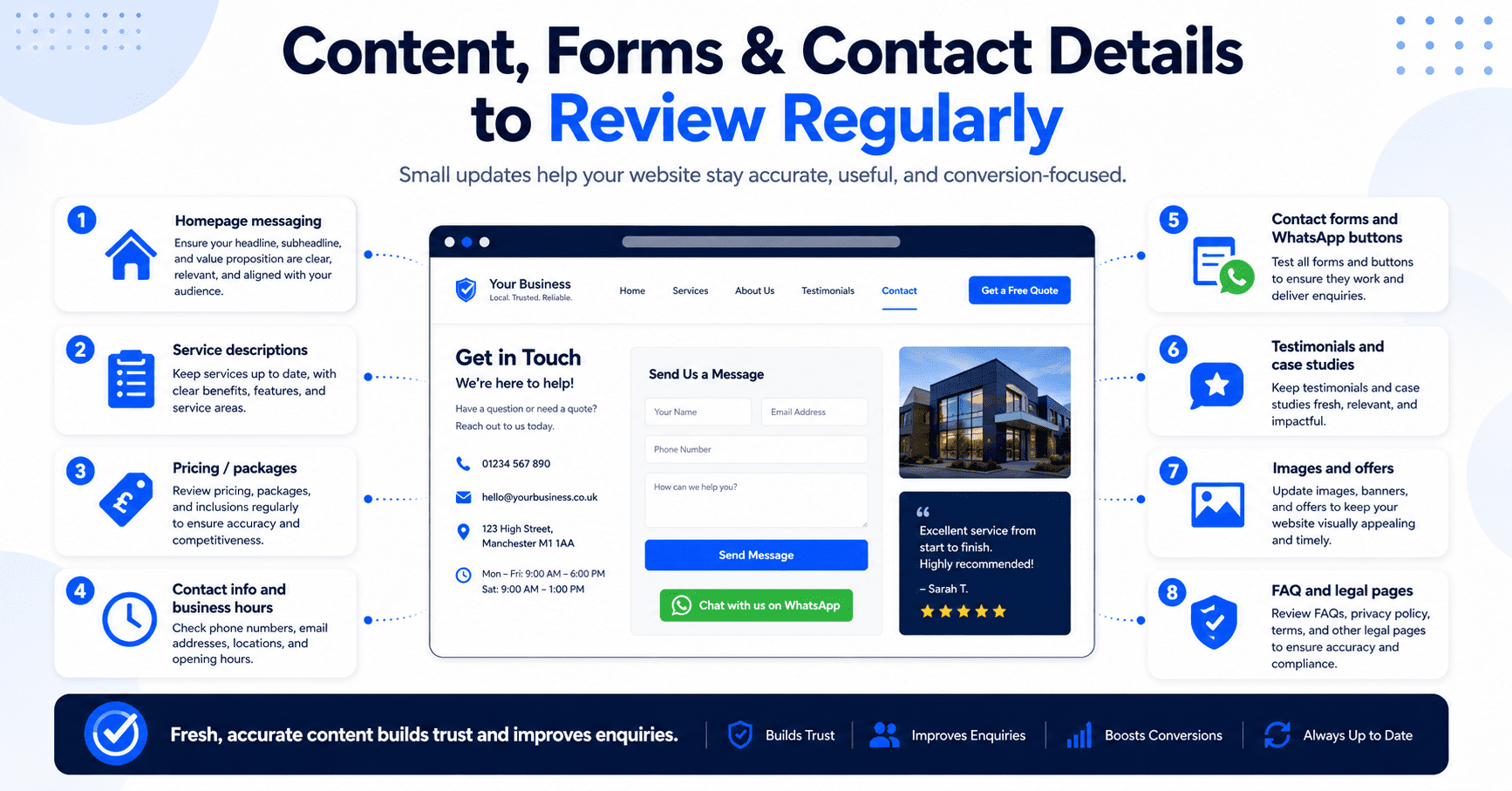
Regular content updates help keep your website aligned with your actual business. This includes updating service details, replacing old images, adding new testimonials, adjusting call-to-action sections, and making sure contact information is correct.
A website that stays updated feels more alive and more trustworthy.
Security Should Be Part of Website Maintenance
Security is one of the most important reasons to maintain a website.
Every website can face security risks, especially if it uses plugins, themes, forms, user logins, or a content management system. If the website is not maintained properly, outdated software can create vulnerabilities.
This is especially common with WordPress websites because they often rely on themes and plugins. WordPress itself, its plugins, and its themes need regular updates. These updates may include bug fixes, security patches, compatibility improvements, and new features.
Ignoring updates for too long can increase risk.
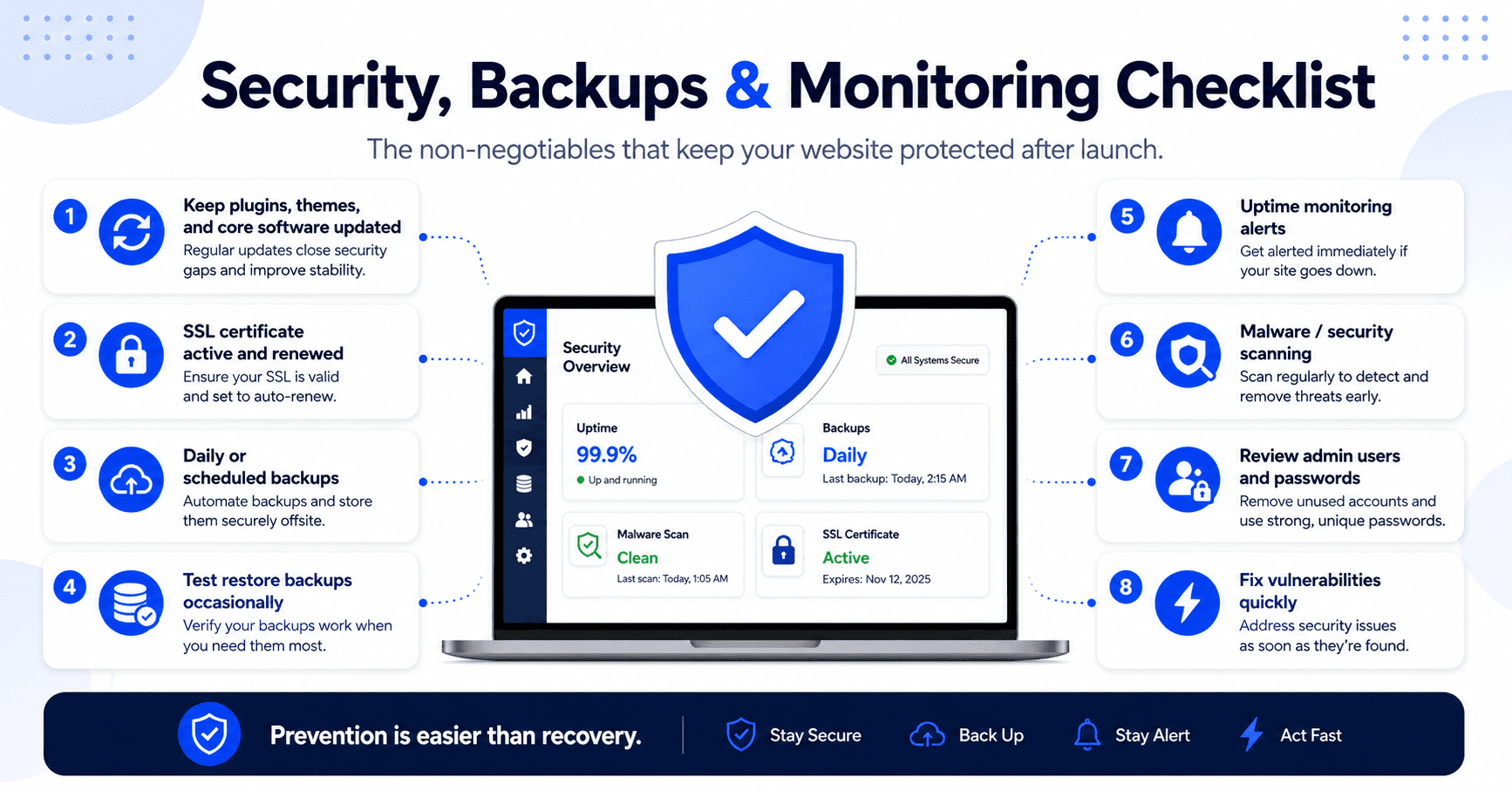
A proper website maintenance plan should include regular software updates, security monitoring, login protection, malware scanning, spam prevention, and safe update practices.
However, updates should not be done blindly. Sometimes an update can cause layout issues, plugin conflicts, or broken features. This is why it is important to back up the website before major updates and test important functions after changes are made.
Security maintenance helps protect your website, your business reputation, and your visitors’ experience.
Even if your website is small, it should not be left unprotected.
Backups Are Essential
A website backup is a saved copy of your website files and database.
Backups are important because websites can break for many reasons. A plugin update may fail. A hosting issue may happen. A page may be accidentally deleted. A website may be affected by malware. A developer may make a mistake. A server problem may cause data loss.
Without a backup, recovery can be difficult, expensive, or impossible.
With a proper backup system, your website can be restored to a previous working version if something goes wrong.
A good maintenance plan should include regular backups. The frequency depends on how often your website changes. A simple business website may not need daily backups if the content rarely changes. A website that receives orders, bookings, form submissions, membership activity, or frequent content updates may need more frequent backups.
Backups should also be stored safely. It is better not to rely only on one backup stored in the same place as the website. If the hosting account has a problem, the backup may be affected too.
Website backups are like insurance. You may not think about them every day, but when something goes wrong, they become extremely valuable.
Website Speed Should Be Monitored
Website speed affects user experience.
Visitors do not want to wait too long for a page to load. If your website is slow, people may leave before they even read your content. This can reduce enquiries, bookings, sales, and trust.
Website speed can become worse over time.
Large images may be uploaded. Plugins may be added. Scripts may slow down pages. Hosting performance may change. Old code may become inefficient. Too many tracking tools or third-party widgets may affect loading time.
This is why speed should be reviewed as part of website maintenance.
A good maintenance process may include image compression, caching checks, database optimisation, plugin review, script cleanup, and performance testing. The goal is to keep the website fast enough for visitors, especially on mobile devices.
Speed is not only a technical metric. It affects how people feel when using your website.
A fast website feels more professional. A slow website feels frustrating.
For lead generation websites, speed matters even more because slow pages can reduce the number of people who reach your contact form, WhatsApp button, booking page, or quote request section.
Forms and Contact Buttons Need Testing
A website can look perfect but still fail if the contact form is broken.
This is one of the most common and costly website problems.
A business may not realise that its form has stopped sending emails, the WhatsApp button links to the wrong number, the booking link is broken, or the enquiry notifications are going to spam.
When this happens, interested customers may try to contact the business but fail. The business may think there are no enquiries, when in reality the website is not capturing them properly.
Website maintenance should include regular testing of important conversion points.
This includes contact forms, quote request forms, newsletter forms, booking links, WhatsApp buttons, phone number links, payment buttons, download buttons, and any other action that matters to your business.
Every form should be tested from the visitor’s perspective. Submit the form, check whether the message is received, confirm the notification email works, and make sure the thank-you message or confirmation page appears properly.
A website should not only attract visitors. It must also capture enquiries correctly.
Broken Links Should Be Fixed
Broken links create a poor user experience.
A broken link happens when someone clicks a link and lands on an error page, missing page, or unavailable resource. This can happen when pages are deleted, URLs are changed, external websites remove content, or files are moved.
Broken links can make your website feel neglected. They can also prevent visitors from reaching important information.
For example, a broken link to a service page may stop a potential customer from learning about your offer. A broken booking link may cost you an appointment. A broken download link may reduce lead capture. A broken internal link may make your website harder to navigate.
Website maintenance should include checking for broken links and fixing them.
This can involve updating the link, redirecting the old page to a new page, replacing the missing resource, or removing the link if it is no longer needed.
Broken links are easy to ignore, but they can quietly reduce trust and performance.
A well-maintained website should feel smooth and complete.
Mobile Experience Should Be Reviewed Regularly
Your website may have worked well on mobile when it first launched, but that does not mean it will always stay that way.
As new content is added, pages are edited, images are replaced, plugins are updated, or new sections are created, the mobile layout can change.
A section that looks good on desktop may feel crowded on mobile. A button may become too small. A form may become difficult to fill. A headline may break awkwardly. An image may take too long to load.
Because many visitors browse from phones, mobile experience should be reviewed regularly.
This is especially important after major content changes or design updates.
A good mobile review checks whether the page is easy to read, buttons are easy to tap, contact options are visible, images load properly, and the layout feels natural to scroll.
For small businesses, mobile experience can directly affect enquiries. If visitors struggle to use your website on their phones, they may leave and contact another provider.
Website maintenance should make sure your website continues to work well for real users, not only on a desktop screen.
SEO Maintenance Helps Protect Search Visibility
SEO is not a one-time task.
Even if your website is launched with basic SEO setup, it still needs ongoing attention. Search behaviour changes. Competitors publish new content. Your services may evolve. Pages may become outdated. Technical issues may appear. Google may re-evaluate content quality over time.
SEO maintenance helps keep your website relevant and discoverable.
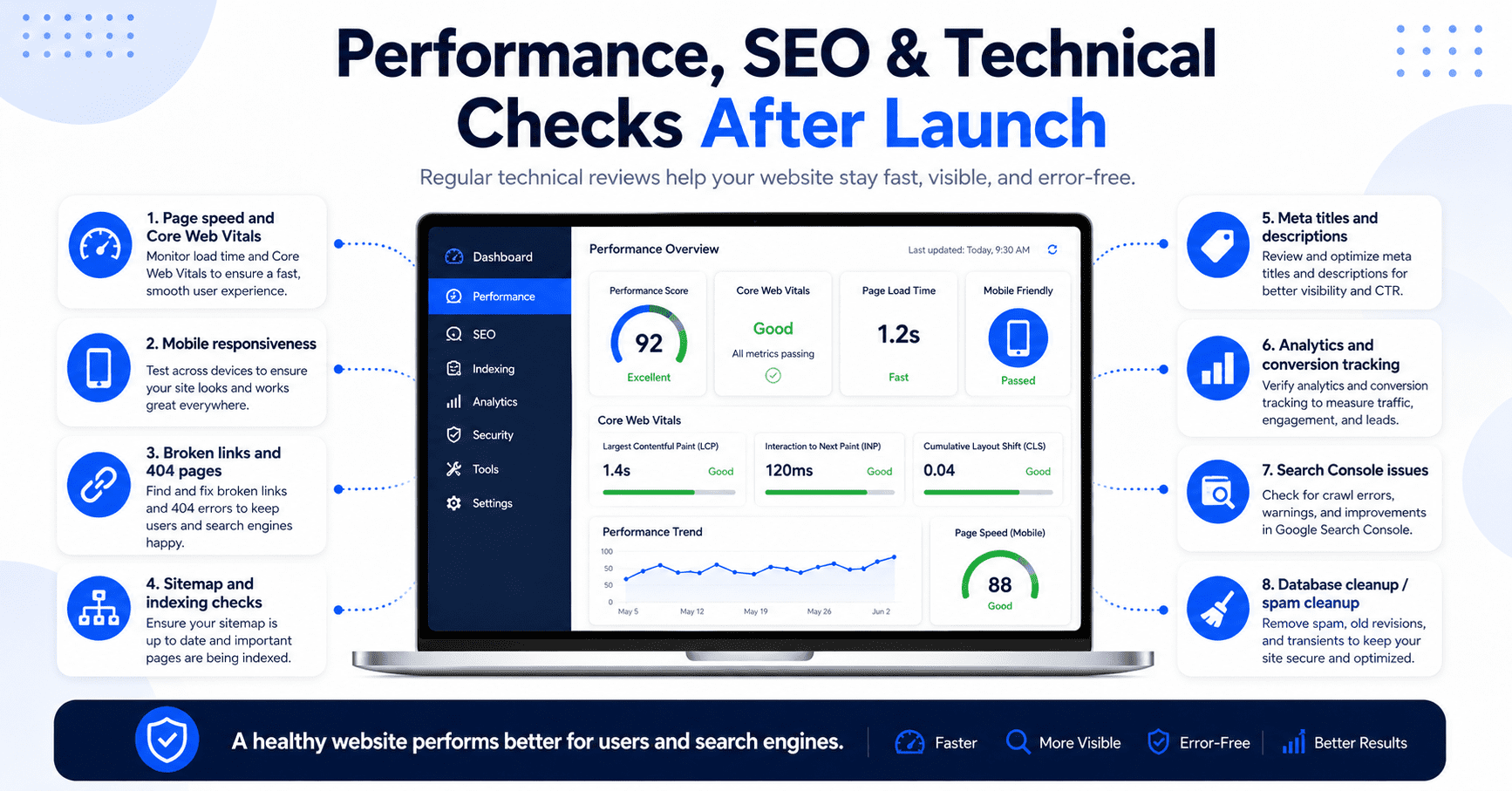
This may include updating old pages, improving page titles, refreshing meta descriptions, adding internal links, fixing broken links, improving content depth, optimising images, reviewing search performance, and publishing new blog posts.
For service businesses, SEO maintenance may also involve updating service pages, adding location pages, improving FAQs, and creating content based on customer questions.
Old content should not always be left untouched. If a blog post or service page is still useful but outdated, refreshing it can help improve its value.
SEO maintenance is not about constantly changing everything. It is about keeping your website useful, accurate, and aligned with what your customers are searching for.
A website that is regularly improved has a better chance of staying competitive.
Content Updates Keep the Website Relevant
A website should grow with your business.
After launch, you may need to add new services, publish articles, update your portfolio, add customer reviews, improve your homepage, create landing pages, or adjust your messaging.
These content updates matter because your website should reflect your current business direction.
For example, if you start offering a new service but your website does not mention it, potential customers may not know. If you have new project photos but they are not uploaded, visitors may not see your latest work. If you collect strong testimonials but do not show them, your website may miss an opportunity to build trust.
Content updates also support marketing.
If you run social media campaigns, ads, or seasonal promotions, your website may need matching landing pages. If you want to improve SEO, you may need new blog posts or expanded service pages. If customer questions change, you may need updated FAQs.
A maintained website becomes a living business tool.
It stays useful because it keeps changing with your business.
Analytics Should Be Checked
Website maintenance should include performance review, not only technical updates.
Analytics help you understand what is happening on your website. You can see which pages people visit, where traffic comes from, how long visitors stay, and whether they take action.
For lead generation websites, important actions may include form submissions, WhatsApp clicks, phone number clicks, booking clicks, quote requests, downloads, or consultation enquiries.
Without analytics, you may be guessing.
You may not know whether people are visiting your service pages, whether your blog posts are attracting traffic, whether visitors are dropping off before contacting you, or whether your landing pages are working.
Regular analytics review helps identify opportunities.
If a page gets traffic but few enquiries, it may need better CTA, stronger proof, clearer copy, or a simpler form. If a blog post gets traffic, you may add internal links to your service pages. If most traffic comes from mobile, you may prioritise mobile improvements.
Website maintenance should help you make better decisions based on actual behaviour.
Design and User Experience Should Improve Over Time
A website does not need to be redesigned every month, but it should be improved over time.
After launch, you may notice that certain sections are not clear enough. Customers may keep asking questions that your website should have answered. Your services may need better explanation. Your CTA may need to be stronger. Your homepage may need to highlight a different offer.
These are normal improvements.
A website often becomes better after real-world use because you start learning how customers respond to it.
User experience maintenance may include improving page flow, simplifying navigation, making buttons clearer, adjusting forms, adding FAQs, improving service descriptions, or reorganising sections.
Small improvements can make a big difference.
For example, moving a contact button higher on the page may increase enquiries. Adding testimonials near the CTA may reduce hesitation. Simplifying a form may increase submissions. Adding pricing guidance may improve lead quality.
Website maintenance is not only about preventing problems. It is also about making the website more effective over time.
What Should Be Included in a Website Maintenance Plan?
A good website maintenance plan should be clear about what is included.
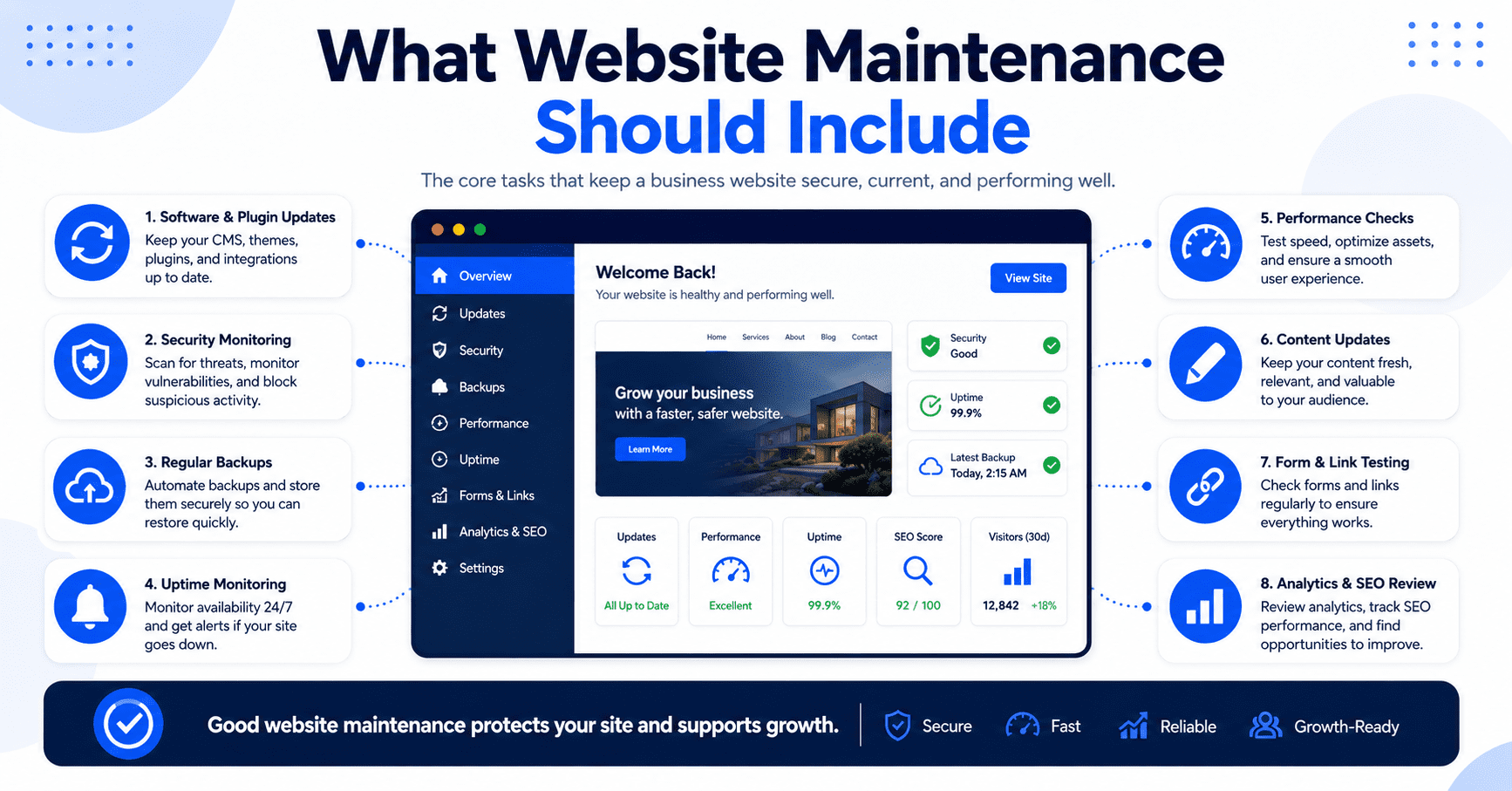
At the basic level, it should cover software updates, security checks, backups, uptime monitoring, form testing, broken link checks, and basic technical support.
For business websites, the plan may also include content updates, minor design adjustments, analytics review, SEO checks, speed optimisation, and landing page support.
The exact scope depends on the website and business needs.
A simple informational website may only need basic maintenance. A lead generation website may need regular content and conversion updates. An eCommerce website may need more frequent monitoring because orders, payments, products, and customer accounts are involved.
What matters is clarity.
You should know how often updates are done, what kind of support is included, how to request changes, how fast support requests are handled, whether content updates are included, and what counts as extra work.
A maintenance plan should prevent confusion after the website goes live.
Website Maintenance vs Website Redesign
Website maintenance and website redesign are not the same.
Maintenance keeps the website working properly and updated. It includes regular checks, small improvements, technical support, content updates, and performance monitoring.
A redesign is a larger project. It usually involves changing the website’s structure, layout, visual direction, content, and user experience more significantly.
If your website is already well-built, regular maintenance may be enough to keep it effective.
But if your website is outdated, confusing, slow, difficult to edit, not mobile-friendly, or no longer matches your business, maintenance alone may not solve the problem. In that case, a redesign may be needed.
The difference is similar to maintaining a car versus rebuilding it. Maintenance keeps things running. A redesign changes the overall system.
A good website provider should be honest about which one you need.
Sometimes small updates are enough. Sometimes the website needs a bigger improvement.
The Cost of Ignoring Website Maintenance
Ignoring maintenance can create hidden costs.
At first, everything may seem fine. But slowly, small issues can build up. Plugins become outdated. Pages become inaccurate. Forms stop working. Images load slowly. Security risks increase. Search rankings drop. Visitors lose trust. Enquiries decrease.
The business may not notice immediately because these problems do not always appear all at once.
But over time, an unmaintained website can hurt your online presence.
The cost may not only be technical repair. It may also be lost leads, poor customer impression, lower search visibility, and the need for a full rebuild later.
Regular maintenance is usually easier and more cost-effective than fixing a badly neglected website.
A website is a business asset. Like any asset, it needs care to stay useful.
Who Needs Website Maintenance?
Every business website needs some level of maintenance.
A small brochure website may need basic updates, backups, and security checks. A service business website may need ongoing content updates, SEO improvements, and lead tracking. A website built on WordPress may need regular plugin and theme updates. An eCommerce website may need more frequent monitoring because it handles products, payments, and customer activity.
The more important the website is to your business, the more important maintenance becomes.
If your website helps generate enquiries, bookings, quote requests, consultations, or sales, then website maintenance should not be optional.
A broken form or outdated service page can directly affect revenue.
Even if your website is simple, it still represents your business. Keeping it accurate and functional helps protect your reputation.
Monthly Website Plans Often Include Maintenance
One reason some businesses choose a monthly website plan is because maintenance and support are included.
Instead of paying separately every time something needs to be updated or fixed, the business pays a monthly fee that may cover hosting, technical maintenance, minor updates, backups, security checks, and support.
This can be useful for business owners who do not want to manage the website themselves.
It also helps keep the website active after launch. Many websites become outdated because the business owner does not know who to contact for changes or does not want to pay a separate fee for every small update.
A monthly plan can make website care more predictable.
However, it is important to check what is included. Some plans may include only technical maintenance, while others may include content updates, SEO checks, or conversion improvements.
A good monthly website plan should clearly explain the support scope.
How Often Should a Website Be Maintained?
The frequency depends on the type of website.
A simple business website may need monthly maintenance. This can include updates, backups, security checks, form testing, and minor content reviews.
A website that publishes content regularly may need more frequent checks. An eCommerce website or membership site may need closer monitoring because there are more moving parts.
Content should be reviewed whenever business information changes. Service pages should be updated when your offer changes. Blog posts should be refreshed when information becomes outdated. Forms and CTAs should be tested regularly.
Security and backups should be handled consistently, not only when something breaks.
The best approach is to create a routine.
A maintained website is usually more stable, more accurate, and more useful than a website that is only checked during emergencies.
Common Website Maintenance Mistakes
One common mistake is assuming that a website does not need maintenance after launch.
Another mistake is updating plugins or software without backing up the website first. This can create problems if an update breaks something.
Some businesses also forget to test their forms and contact buttons. This can result in lost enquiries without anyone noticing.
Another mistake is ignoring old content. Outdated pages can confuse visitors and weaken trust.
Many businesses also add too many plugins or tracking scripts over time, which can slow down the website.
Some website owners do not check mobile layout after making changes. A section may look fine on desktop but broken on mobile.
The biggest mistake is only reacting when something goes wrong.
Good maintenance is proactive. It prevents issues and keeps the website improving.
Final Thoughts: Website Maintenance Protects Your Online Presence
A website should not be treated as a one-time project that ends on launch day.
After your website goes live, it still needs updates, security checks, backups, performance reviews, content improvements, and regular testing.
Website maintenance keeps your website accurate, secure, fast, and useful. It also helps protect the trust you are trying to build with potential customers.
For business websites, maintenance is especially important because your website may be part of your customer acquisition system. If the website is slow, outdated, broken, or unclear, it can affect enquiries and sales.
A well-maintained website gives visitors a better experience. It also gives your business a stronger and more reliable online presence.
Your website should continue working for your business long after launch.
That only happens when it is properly maintained.
Need Help Maintaining Your Website?
If your website is already live but has not been updated, checked, or improved for a while, it may be time for a website review.
At Bennie Tay, we help small businesses build and maintain conversion-focused websites designed to improve trust, support enquiries, and stay updated over time.
Whether you need website maintenance, content updates, performance improvements, landing pages, or a monthly website plan, the goal is simple:
Keep your website working, improving, and supporting your business after launch.
FAQ: Website Maintenance
What is website maintenance?
Website maintenance is the ongoing work needed to keep a website secure, updated, accurate, fast, and functional. It can include software updates, backups, security checks, content updates, form testing, and performance improvements.
Why is website maintenance important?
Website maintenance is important because websites can become outdated, slow, insecure, or broken over time. Regular maintenance helps prevent problems and keeps the website useful for visitors and customers.
How often should a website be maintained?
Most business websites should be checked at least monthly. Websites with frequent updates, online payments, bookings, memberships, or eCommerce features may need more frequent maintenance.
What should a website maintenance plan include?
A website maintenance plan may include software updates, backups, security monitoring, form testing, broken link checks, content updates, speed optimisation, SEO checks, analytics review, and technical support.
Is website maintenance only for WordPress websites?
No. All websites need some level of maintenance. However, WordPress websites often need regular plugin, theme, and core updates because they rely on multiple software components.
What happens if I do not maintain my website?
If you do not maintain your website, it may become slow, outdated, insecure, or broken. You may also lose enquiries if forms stop working, contact details become outdated, or visitors have a poor experience.